This release focuses on improving continuity, clarity, and efficiency across meetings, scorecards, and strategic planning. Enhancements strengthen how meeting context carries forward over time, simplify importing and managing Objectives, and introduce a consolidated V/TO for easier sharing and alignment. Together, these updates reduce administrative friction and help teams stay focused on decisions, execution, and results.
Context-Aware Meeting Transcription Summarization
Meeting summaries now provide better continuity across recurring meetings. When a meeting is summarized, the system can reference relevant information from prior summaries, decisions, and action items from the same meeting series. This allows summaries to reflect ongoing discussions and outcomes instead of treating each meeting in isolation.
Summaries remain securely scoped to the organization and the specific meeting, ensuring context is never shared across teams or unrelated meetings. When no prior context exists, summaries continue to work as expected using only the current meeting’s transcript. This results in more accurate, more useful summaries, especially for long-running or recurring meetings.
The result is more accurate, more useful summaries—especially for recurring or long-running meetings—without compromising security or organizational boundaries.
Improved Bulk Upload Process for Objectives
The bulk upload process for Objectives has been enhanced to better support modern scorecard exports and more flexible objective definitions. Imports can now automatically interpret Objective orientation and target values from a single column. This includes symbols, text, ranges, and numeric values (for example, “≥ 10”, “between 5 and 15”, or “< 3”).
The import process can also detect Objectives frequency (weekly, monthly, quarterly, or yearly) based on date columns in the file and assign Objectives categories directly from the spreadsheet when provided. These improvements reduce manual cleanup, eliminate extra confirmation steps, and make it easier to migrate or update Objectives from external systems and reports.
Full V/TO PDF Export
A new PDF export option is available from the V/TO page that generates a single, comprehensive business report. This export combines key operational and strategic information into one document, including objectives, projects, the current V/TO, and accountability charts by department.
The report is formatted for sharing and printing, with consistent headers, pagination, and clear section organization. It automatically handles missing or empty data gracefully and respects existing permissions and visibility rules. This export provides leaders with a consolidated snapshot of the organization’s goals, execution, and structure in a single, professional report.
This makes it easier to share a clear, consistent view of the organization with leadership teams, boards, and external stakeholders.
New “My Challenges List” Widget and View
Challenges are designed to capture ideas, issues, questions, and conversations that need visibility and follow-up. Previously, Challenges were created primarily within meetings and tied directly to specific agendas.
This update makes Challenges more flexible, more visible, and easier to manage—both inside and outside the context of meetings.
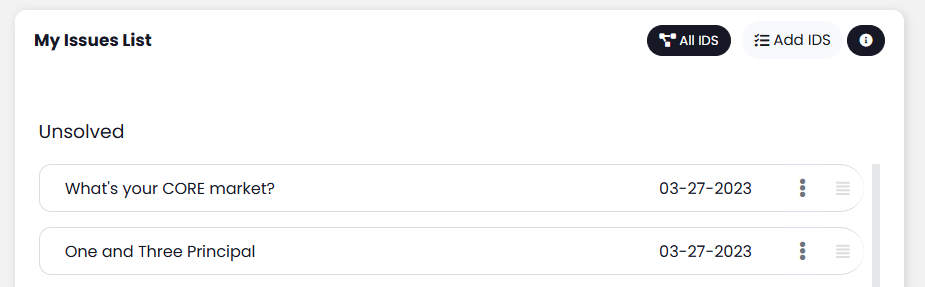
Enhancements include:
- The ability for Challenges to exist independently of meetings
- A new “My Challenges” Dashboard widget that shows your open Challenges at a glance
- A new expanded Challenges view for managing all Challenges, including archived items
Add Task from inside a Challenge
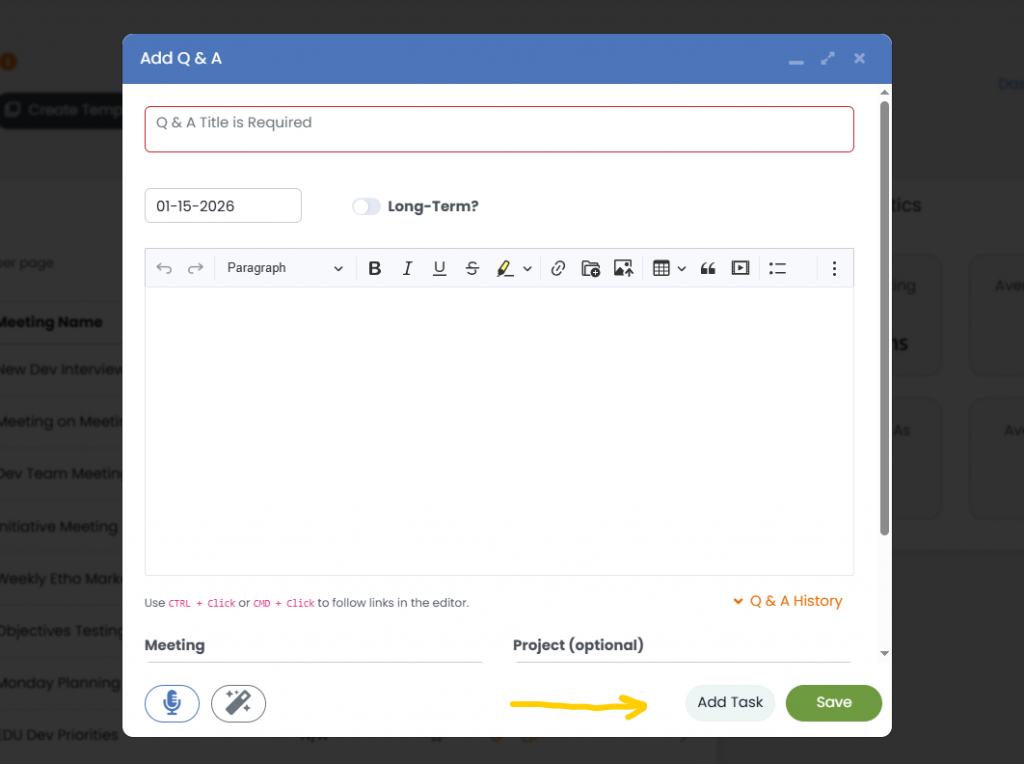
While you’re discussing something and have the Challenge modal open, you now have the option to capture new Tasks while keeping the discussion going. Just click the new “Add Task” button at the bottom of the Challenge modal.
While discussing a Challenge, you can now create Tasks directly from the Challenge modal without interrupting the conversation. Simply click the new “Add Task” button at the bottom of the Challenge to capture action items in real time.
Project Discussions
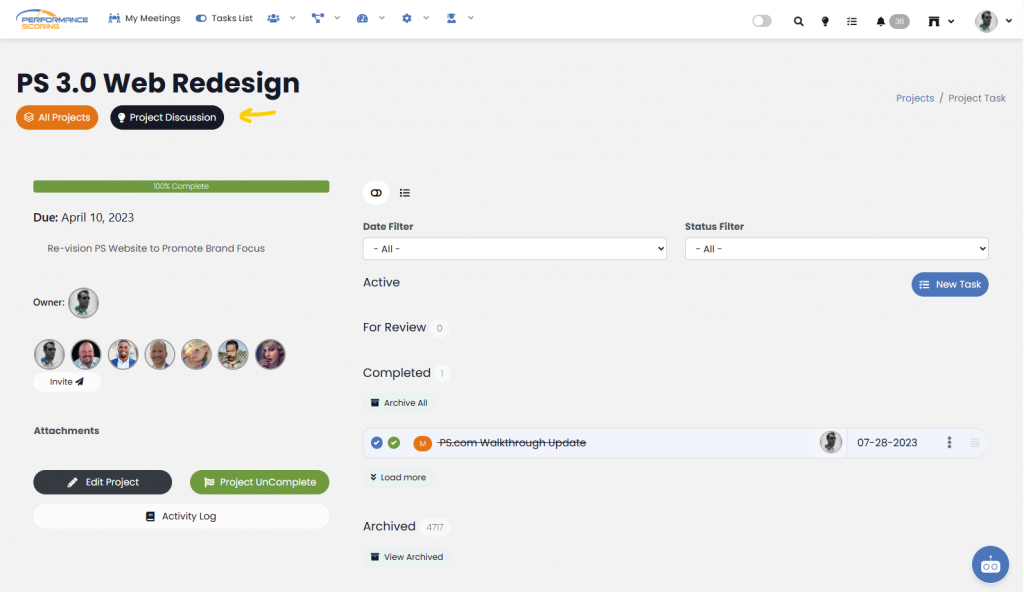
Projects now include a new “Project Discussion” button at the top of the Project details page. This view surfaces all Challenge topics related to that Project, providing valuable context—especially when discussions occur in meetings you may not attend.
Clicking the button again returns the Project to its default Task view.
No More Random Avatars
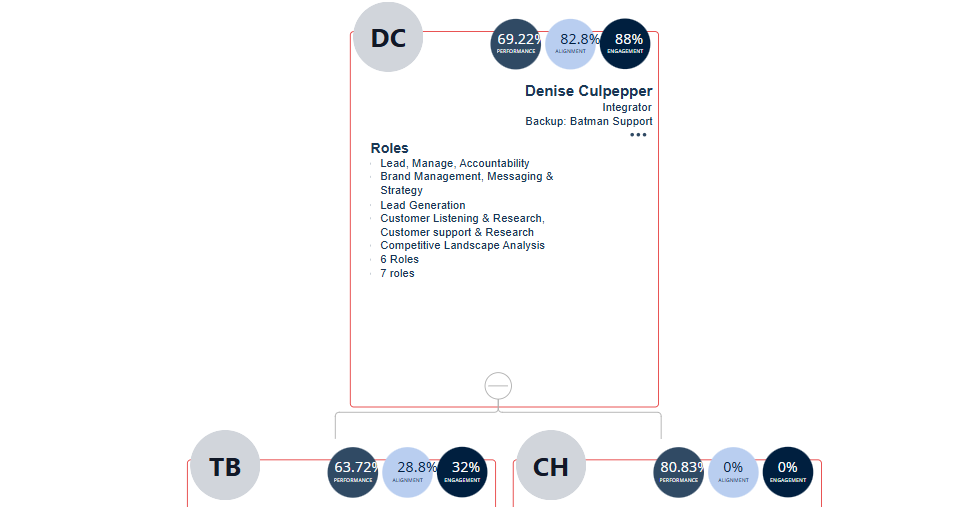
When a person hasn’t uploaded a profile photo, the system now generates a clean SVG placeholder using their initials, replacing randomly generated avatars with a more consistent, professional look.
Wrapping Up
Together, these updates improve how information flows across meetings, planning, and execution—reducing manual effort while preserving context and clarity. As always, these enhancements are designed to support better decisions, stronger alignment, and more effective follow-through across the organization.