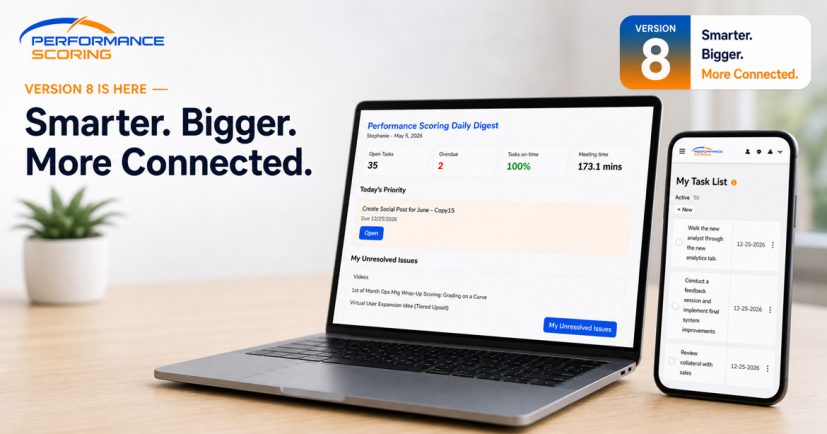
We’ve packed Version 9 with enhancements designed around one simple idea: the more your tools understand how your organization works, the more useful they become.
This release makes it easier to connect work across Projects, automate performance data, visualize bigger initiatives, and put your organization’s own knowledge and people data to work through AI.
The result? Less manual tracking. Better context. More visibility. And a system that does more of the connecting for you.
Let’s dig into some of the biggest enhancements in Version 9.
Let Your Objectives Do the Math with Formula Builder
Not every Objective should require someone to manually enter a number.
With the new Formula Builder, Objectives can calculate their values using other Objectives and mathematical formulas.
That means you can create Objectives that automatically roll up other performance data, calculate ratios, combine multiple metrics, or build more sophisticated KPIs—all while keeping the result connected to the underlying data.
For example, instead of manually updating a company-wide performance metric every week, you can build a formula that calculates it automatically from the Objectives that drive it.
Formula Builder includes tools for selecting other Objectives , adding mathematical operators, and even allowing a manual override when needed.
Why it matters: your Scorecards can become more automated, interconnected, and reflective of how your organization actually measures performance.
Connect Projects with Associated Projects
Big goals rarely live inside a single Project.
Version 9 introduces Associated Projects, allowing related Projects to be connected in parent-and-child relationships.
A larger Project can now be connected to the smaller Projects helping drive it forward, giving teams a clearer picture of how individual efforts contribute to a larger outcome.
Associated Projects also make it easier to see progress across connected work instead of treating every Project as an isolated item.
This is especially useful for organizations managing large strategic priorities, multi-department initiatives, or Projects with several distinct workstreams.
Think bigger picture without losing sight of the work underneath it.
See the Bigger Picture with Enhanced Initiatives
Initiatives are designed to bring multiple Projects together around a larger organizational priority. In Version 9, they become even more useful.
Enhanced Initiative details provide a richer view of the Projects connected to an Initiative, including progress, status, timing, and related meeting activity.
A visual timeline makes it easier to understand how those Projects overlap and progress over time, giving leaders a more useful view of the work behind a strategic priority.
Instead of bouncing between Projects trying to assemble the story yourself, you can see more of that story in one place.
Strategy at the top. Execution underneath. Visibility across both.
Give the AI Assistant Your Organization’s Knowledge
Generic AI can be helpful. AI that understands your organization can be much more useful.
Version 9 expands the AI Assistant with tools that allow administrators to provide organization-specific knowledge and instructions.
Knowledge Base Documents
Organizations can provide documents that give the AI Assistant additional context about how the company operates.
That might include internal processes, terminology, policies, procedures, service information, operating principles, or other information that helps the Assistant provide answers grounded in your organization.
Prompt Settings
Administrators also have more control over how the AI Assistant responds.
Prompt Settings allow your organization to give the Assistant guidance about things like priorities, terminology, tone, and how it should approach questions from your team.
Together, these tools move the AI Assistant beyond a generic chatbot and toward something much more valuable: an assistant that understands the way your organization works.
Turn Behavioral Profiles into Better Conversations
Understanding someone’s behavioral profile is useful.
Knowing what to do with that information is even better.
Version 9 expands AI-powered relationship guidance by bringing behavioral-profile context into practical coaching and conversation guidance.
Where authorized profile information is available, AI can help translate that information into useful suggestions for working with another person—including communication considerations, relationship guidance, and preparation for important conversations.
Rather than simply showing profile results and leaving you to interpret them, the platform can help turn those insights into action.
It’s another step toward making performance and behavioral data useful in the moments where it matters most: when people are actually working together.
More Control Over Automatically Generated Tasks
Automation saves time, but the results still need to make sense when they land in somebody’s Task list.
Version 9 adds more control over the names of Tasks automatically generated from Projects.
Organizations and Project owners can better identify generated Tasks by incorporating Project information, recurrence details, and customizable naming options.
That makes recurring and automatically generated work easier to recognize at a glance, especially for users managing Tasks across multiple Projects.
It’s a small detail that can make a big difference when automation starts doing more of the work for you.
More Connected by Design
Version 9 continues our push toward making the platform work less like a collection of individual tools and more like one connected operating system for your organization.
Objectives can inform other Objectives.
Projects can connect to larger Projects and Initiatives.
AI can use your organization’s own knowledge.
Behavioral data can become practical coaching.
And automation can handle more of the repetitive work without sacrificing context.
The goal isn’t simply to give you more features.
It’s to help the information you’re already putting into the platform work harder for you.
And there’s plenty more on the way.
Welcome to Version 9.