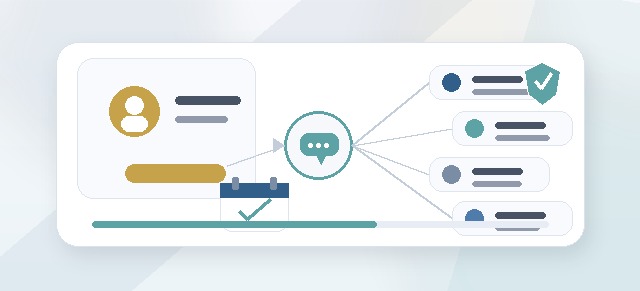
Leadership Compass can include people who support the program without being regular participants in the organization.
This is especially useful for external facilitators, consultants, coaches, or support partners who need access to a cohort but are not completing the Leadership Compass process themselves.
What is a virtual user?
A virtual user is a user record that can be used for support or access purposes without treating that person as a standard participant.
Virtual users may be used for people such as:
- external facilitators
- leadership consultants
- executive coaches
- certified facilitators
- implementation partners
- support staff
- temporary program collaborators
The exact setup may vary by organization, but the goal is the same: give the right person the access they need without confusing them with a paid participant.
Why virtual users matter
Leadership Compass includes different types of users.
Some people complete the program. Others support the people completing the program.
Virtual users help keep those roles separate.
They can help prevent issues such as:
- external facilitators being counted as participants
- consultants being added as regular employees
- support users seeing too much information
- cohort access being assigned too broadly
- pricing being affected by non-participant users
What is an external facilitator?
An external facilitator is someone outside the organization who supports Leadership Compass.
They may help with:
- guiding participants through reflection
- reviewing reflection cards
- providing feedback
- supporting check-ins
- helping participants prepare their guide
- coaching participants after completion
External facilitators may work with one cohort or several cohorts.
Are external facilitators counted as participants?
Not usually.
A Facilitator is a support role. A Participant is someone completing the Leadership Compass pillar workflow and building a personal Leadership Compass Guide.
An external facilitator should only count as a participant if they are also completing the participant workflow.
When should we use a virtual user?
A virtual user may be useful when someone needs access to Leadership Compass but should not be treated as a standard organization member or paid participant.
Common examples include:
- an outside consultant supporting one cohort
- a certified facilitator helping several cohorts
- a temporary coach supporting a leadership development program
- a Performance Scoring partner helping with implementation
- a facilitator who does not need access to the rest of the app
What can a virtual facilitator see?
A virtual facilitator should only see what they are assigned to support.
Depending on the setup, they may see:
- assigned cohorts
- assigned participants
- participant progress
- reflection cards
- facilitator feedback tools
- check-in requests
- participant messages
They should not automatically see:
- every cohort in the organization
- every participant
- organization-wide settings
- leader-only views
- admin-only configuration
- private content outside their assignment
How access should be scoped
External facilitator access should be limited to the support relationship.
That means access should be scoped by:
- organization
- cohort
- role
- participant assignment
- facilitator assignment
Scoped access helps protect participant privacy and keeps the facilitator’s dashboard focused.
Internal facilitator vs external facilitator
Internal facilitator
An internal facilitator is usually part of the organization.
Examples include:
- HR partner
- learning and development staff
- internal coach
- senior leader
- culture or talent team member
External facilitator
An external facilitator is outside the organization.
Examples include:
- consultant
- certified facilitator
- executive coach
- implementation partner
- outside trainer
Both types may support participants, but external facilitators usually require more careful access scoping.
Can a virtual user have more than one role?
Yes, depending on your organization’s setup.
For example, a virtual user could be:
- a Facilitator in one cohort
- a Facilitator in several cohorts
- a support user for implementation
- a consultant connected to a specific organization
A virtual user should not be assigned as a Participant unless they are actually completing Leadership Compass.
Can an external facilitator support multiple cohorts?
Yes.
An external facilitator may support multiple cohorts if assigned to each one.
For example:
- Executive Team Cohort
- New Manager Cohort
- Emerging Leaders Cohort
Each assignment should be intentional and reviewed for privacy.
What should Champions check before adding an external facilitator?
Before adding an external facilitator, confirm:
- the person needs access
- the person has the right user record
- the person is assigned as a Facilitator, not accidentally as a Participant
- the correct cohorts are assigned
- participant visibility is scoped appropriately
- check-in and messaging workflows are configured
- the facilitator understands what they can and cannot see
What should external facilitators know?
External facilitators should understand:
- they are supporting participant growth
- the participant’s voice should remain the final word
- reflections may be personal and should be handled carefully
- private notes should still be professional
- visible feedback should help participants refine their thinking
- access is limited to assigned cohorts or participants
- they should not share participant content outside the agreed process
Privacy expectations
Leadership Compass includes personal reflection and leadership development content.
External facilitators should treat all participant content as confidential within the organization’s program expectations.
They should not:
- export participant content without permission
- share reflections outside the cohort support process
- access participants they are not assigned to support
- use participant reflections for unrelated work
- pressure participants to share their final guide
Pricing and virtual users
Virtual users are often used to avoid treating support roles as paid participants.
In general:
- Participants complete the pillar workflow and may count toward pricing.
- Leaders support participants and usually do not count as paid participants.
- Facilitators support participants and usually do not count as paid participants.
- Virtual users may support access without being counted as standard participants.
If someone is both a facilitator and a participant, they may count as a participant for the cohort where they complete the workflow.
Common setup examples
External coach supporting one cohort
A company hires an outside coach to facilitate one executive cohort.
The coach is added as a virtual user and assigned as Facilitator for that cohort only.
Consultant supporting multiple cohorts
A consulting partner supports several leadership cohorts.
The consultant is assigned as Facilitator for each cohort they support.
Internal HR partner
An HR partner works inside the organization and supports participants as an internal Facilitator.
They may not need a virtual user if they already have a regular user account.
Implementation support
A Performance Scoring partner helps configure or troubleshoot Leadership Compass.
They may receive temporary access depending on the organization’s setup and support needs.
Common questions
Should an external facilitator be added as a participant?
No, not unless they are completing the Leadership Compass workflow themselves.
Can a virtual user log in?
This depends on your organization’s setup. Some virtual users may have login access, while others may exist for assignment or support purposes.
Can a virtual facilitator see every participant?
They should only see the participants or cohorts they are assigned to support.
Are virtual users free?
Virtual users are generally support roles, but pricing depends on your organization’s agreement and setup.
Can a facilitator also complete Leadership Compass?
Yes. If they complete the participant workflow, they should also be assigned as a Participant for that cohort or another cohort.
Can we remove an external facilitator later?
Yes. When removing or changing a facilitator, confirm whether they should retain any historical access or lose access immediately.
Troubleshooting
The facilitator cannot see the cohort.
Confirm that the facilitator has been assigned to the cohort and has the Facilitator role.
The facilitator sees too much.
Review role assignments and cohort scope. The facilitator may have broad access or may be assigned to more cohorts than intended.
The facilitator appears as a participant.
Check the user’s cohort role. They may have been accidentally assigned as a Participant.
Pricing looks wrong.
Confirm that support roles were not accidentally added as Participants.
Participants cannot message the facilitator.
Confirm that the facilitator is assigned and that the messaging/check-in workflow is enabled.
Best practices
- Use virtual users for outside support roles when appropriate.
- Assign external facilitators only to the cohorts they support.
- Avoid assigning external facilitators as Participants unless they are completing the workflow.
- Review facilitator access before launching the cohort.
- Remove or update access when the engagement ends.
- Keep participant privacy central.
- Make sure facilitators understand their role and boundaries.
Virtual users and external facilitator assignments help organizations bring in the right support while keeping Leadership Compass access clear, scoped, and respectful of participant privacy.