A cohort is the group of people completing Leadership Compass together.
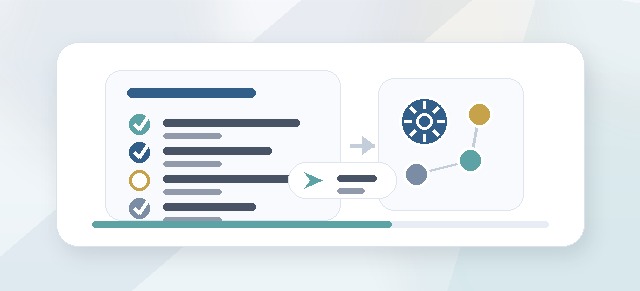
Cohorts help organize participants, leaders, facilitators, enabled pillars, progress tracking, and final guide completion. Most Leadership Compass work happens inside a cohort.
What is a cohort?
A cohort is a specific Leadership Compass program group.
For example, your organization might create cohorts such as:
- Spring Leadership Cohort
- Executive Team Compass
- New Manager Cohort
- Operations Leadership Group
- Department Head Compass
- Emerging Leaders Program
Each cohort can have its own participants, leaders, facilitators, enabled pillars, and progress status.
Why cohorts matter
Cohorts make Leadership Compass easier to manage.
They help answer questions like:
- Who is participating?
- Which pillars are included?
- Who is the Champion?
- Which leaders are responsible for which participants?
- Which facilitator is supporting the group?
- Who has started?
- Who is stuck?
- Who has completed the program?
- Who is ready to generate a guide?
Without cohorts, it would be difficult to separate one leadership development group from another.
What belongs to a cohort?
A cohort may include:
- a cohort name
- one or more Champions
- Participants
- Leaders
- Facilitators
- enabled pillars
- participant progress
- reflection cards
- facilitator feedback
- final Leadership Compass Guides
- post-program activity
Each person’s Leadership Compass work is tied to the cohort where they completed it.
Who creates a cohort?
A cohort is usually created by a Champion or Admin.
The Champion is responsible for setting up the program group, assigning people, and helping the cohort move through the Leadership Compass process.
When should I create a new cohort?
Create a new cohort when you want to run Leadership Compass for a distinct group of people.
Common reasons to create a new cohort include:
- a new leadership development program is starting
- a new team is going through the process
- a department wants its own group
- a new calendar cycle begins
- a different facilitator is supporting a different group
- a group needs different enabled pillars
- you want separate progress tracking
Can one organization have multiple cohorts?
Yes.
An organization can run multiple Leadership Compass cohorts over time. This is useful for organizations that run Leadership Compass by department, team, leadership level, location, or program cycle.
For example:
- Cohort 1: Executive Team
- Cohort 2: Senior Managers
- Cohort 3: Emerging Leaders
- Cohort 4: Operations Supervisors
Each cohort can be tracked separately.
Can a person belong to more than one cohort?
Yes, if the organization’s setup allows it.
A person might complete Leadership Compass as a participant in one cohort and support another cohort as a leader or facilitator.
For example:
- Jordan is a Participant in the Executive Team cohort.
- Jordan is also a Leader for the Emerging Leaders cohort.
- Morgan facilitates two different cohorts.
- Casey is a Champion for the whole program.
Access is based on the role assigned within each cohort.
Cohort roles
A cohort may include several role types.
Champion
The Champion manages the cohort setup and progress.
Participant
The Participant completes the Leadership Compass pillars and builds a personal Leadership Compass Guide.
Leader
The Leader supports assigned participants and may monitor progress.
Facilitator
The Facilitator guides participants through reflection, feedback, and check-ins.
Admin
The Admin may support setup, troubleshooting, or organization-level configuration.
Enabled pillars
A cohort does not always have to use all five pillars.
The Champion may enable all five pillars or select only certain pillars based on the program design.
The five pillars are:
- Know Your Core
- Set Your Standard
- Live Your Promise
- Lead Your Team
- Refine Your Compass
Participants only complete the pillars enabled for their cohort.
Cohort lifecycle
A cohort may move through several states.
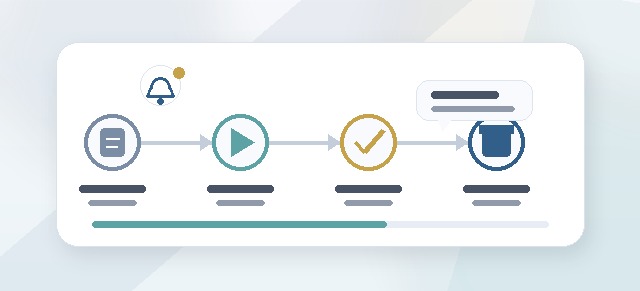
Draft
The cohort is being configured. Participants may not have access yet.
Active
The cohort is live. Participants can begin or continue the Leadership Compass process.
Completed
The active program phase is complete. Participants may move into guide generation and post-program reflection.
Archived
The cohort is no longer active, but may remain available for historical reference or reporting.
What happens when a cohort is active?
When a cohort is active, participants can begin working through the enabled Leadership Compass steps.
Depending on the setup, participants may:
- enter CliftonStrengths
- complete enabled pillars
- review reflection cards
- accept reflections
- generate a Leadership Compass Guide
- message a facilitator
- request a check-in
- continue into the post-program dashboard
Leaders and facilitators may also gain access to their role-specific dashboards.
What should a Champion check before launching a cohort?
Before launching, confirm:
- the cohort name is clear
- all intended participants are included
- participants are assigned to the correct leaders
- facilitators are assigned correctly
- enabled pillars are correct
- pricing/unlocks are understood
- participant notifications are ready
- the cohort status is ready to move from draft to active
A clean cohort setup prevents confusion later.
What can participants see?
Participants usually see their own Leadership Compass workflow inside the cohort.
They may see:
- the cohort name
- their own progress
- available pillars
- their reflection cards
- their Leadership Compass Guide
- post-program reflection tools
Participants do not manage the cohort unless they also have a Champion or Admin role.
What can leaders see?
Leaders usually see progress for participants assigned to them.
They may see:
- who has started
- who is in progress
- who is stalled
- who completed the selected pillars
- high-level progress signals
Leaders should not automatically see private participant reflection content unless the program specifically allows it or the participant shares it.
What can facilitators see?
Facilitators usually see participants or cohorts they are assigned to support.
They may see:
- participant progress
- reflection cards
- facilitator feedback tools
- check-in requests
- messages from participants
Facilitator access should be scoped to the people or cohorts they support.
What happens after a cohort finishes?
When participants complete all selected pillars, they move toward the completion experience.
From there, participants can:
- generate their Leadership Compass Guide
- edit and sign the guide
- share the guide by invitation
- use the post-program dashboard
- log alignment moments
- track commitments over time
A cohort may remain visible to Champions, Leaders, and Facilitators for progress review or historical reporting, depending on permissions.
Common questions
I do not see my cohort.
You may not have been added to the cohort, or your role may not have access. Contact your Champion or Admin.
I see the cohort, but I cannot start.
The cohort may still be in draft status, or you may not be assigned as a Participant.
I am a leader but do not see my team.
Participants may not be assigned to you yet. Ask the Champion to review participant-to-leader assignments.
I am a facilitator but do not see participants.
You may not be assigned to the cohort or participants yet. Ask the Champion or Admin to review facilitator assignments.
Can we change the enabled pillars later?
This depends on your organization’s setup and whether participants have already started. Changing enabled pillars after launch may affect progress, pricing, and guide generation.
Can a completed cohort be reused?
Usually, it is better to create a new cohort for a new group or new program cycle. This keeps progress and reporting clean.
Best practices
- Use clear cohort names.
- Keep cohorts focused around a real group or program cycle.
- Assign leaders and facilitators before launch.
- Avoid giving broad access when scoped access is enough.
- Confirm enabled pillars before participants begin.
- Create a new cohort for each major program cycle.
- Review cohort progress regularly during the active phase.
A well-structured cohort makes Leadership Compass easier to complete, easier to support, and easier to report on.