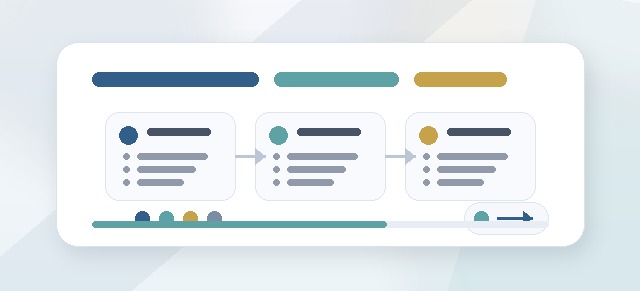
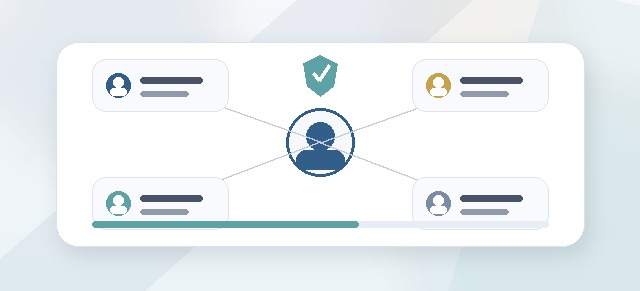
The Champion Dashboard helps Champions and Admins manage Leadership Compass cohorts at the program level.
It gives the right users a broader view of cohort setup, participant progress, role assignments, launch status, and completion trends.
What the Champion Dashboard is for
The Champion Dashboard is designed to help program owners answer:
- Which cohorts are active?
- Who has been added to each cohort?
- Which pillars are enabled?
- Has the cohort launched?
- Who has started?
- Who is in progress?
- Who has completed the enabled pillars?
- Which participants may need follow-up?
- Are Leaders and Facilitators assigned correctly?
- Is the cohort ready for the next stage?
This dashboard is focused on cohort administration and program health.
Who can use the Champion Dashboard?
The Champion Dashboard is usually available to users assigned as Champions or Admins for Leadership Compass.
A Champion may be:
- an HR leader
- a learning and development owner
- a program administrator
- an internal implementation lead
- a department sponsor
- a leadership development coordinator
- another person responsible for managing the cohort experience
Champion access should be limited to users who need program-level visibility.
What Champions may be able to see
Depending on the organization’s setup, Champions may be able to see:
- cohorts
- cohort status
- enabled pillars
- launch readiness
- participant lists
- participant progress
- Leader assignments
- Facilitator assignments
- completion counts
- overall cohort progress
- guide completion status
- post-program activity indicators
The exact dashboard fields may vary by configuration.
What Champions may be able to manage
Champions may be able to help manage:
- cohort setup
- cohort names
- cohort participants
- enabled pillars
- Leader assignments
- Facilitator assignments
- launch status
- reminders or notifications
- participant access
- role corrections
- program progress review
The Champion role is broader than the Leader role because it supports the cohort as a whole.
How the Champion role differs from the Leader role
A Leader usually supports assigned participants.
A Champion usually supports the whole cohort or program.
For example:
- a Leader may see progress for assigned participants
- a Champion may see cohort-level progress
- a Leader may encourage an individual participant
- a Champion may review whether the cohort is ready to launch
- a Leader may discuss a participant’s shared guide
- a Champion may manage assignments and access
Both roles support progress, but they operate at different levels.
How the Champion role differs from the Facilitator role
A Facilitator usually supports reflection and coaching.
A Champion usually supports administration and program flow.
For example:
- a Facilitator may review reflection cards
- a Champion may confirm participants are assigned correctly
- a Facilitator may respond to a check-in request
- a Champion may review cohort completion trends
- a Facilitator may help refine a guide
- a Champion may manage launch readiness
A user may have more than one role, depending on the setup.
Cohort progress
Cohort progress shows how the group is moving through the Leadership Compass process.
Progress may include:
- number of participants not started
- number of participants in progress
- number of participants completed
- completion percentage
- guide readiness
- guide completion
- post-program engagement
Progress should be interpreted in context.
A lower completion rate may mean participants need more time, clearer communication, protected time, or assignment corrections.
Pillar progress
Pillar progress helps Champions see where participants are in the workflow.
For example, a cohort may show:
- many participants completed Pillar 1
- fewer participants completed Pillar 2
- several participants paused before reflection card acceptance
- some participants ready to generate guides
- some participants blocked by a missing assignment
This helps Champions identify where support may be needed.
Launch readiness
Before launching a cohort, Champions should confirm that setup is complete.
Review:
- cohort name
- cohort status
- enabled pillars
- pricing or unlock settings
- participant list
- Leader assignments
- Facilitator assignments
- virtual or external users
- notification expectations
- launch timing
A clean setup reduces confusion after launch.
Cohort status
Cohort status helps indicate where the cohort is in the process.
A cohort may be:
- draft
- pending launch
- active
- in progress
- completed
- post-program
- archived
The exact statuses may vary, but the purpose is to help Champions understand the current stage.
Launching a cohort
When the cohort is ready, a Champion or Admin may launch it.
Launching may make the cohort visible to participants and may trigger notifications, depending on the setup.
Before launch, confirm:
- participants are correct
- required roles are assigned
- enabled pillars are correct
- the timing is intentional
- users know what to expect
- support contacts are ready
Monitoring after launch
After launch, Champions should monitor early activity.
Look for:
- participants who have not started
- users who may not have received instructions
- assignment issues
- missing Leaders or Facilitators
- confusion around next steps
- unexpected access problems
Early monitoring helps catch problems before they become support issues.
Supporting participants at scale
Champions often support the cohort as a group.
They may:
- send reminders
- coordinate with Leaders
- notify Facilitators
- clarify deadlines
- answer access questions
- review progress trends
- communicate program expectations
- help resolve setup issues
Champions should keep communication clear and supportive.
Using dashboard data responsibly
Dashboard data should be used to support the program, not to shame participants.
Use dashboard data to:
- remove obstacles
- identify support needs
- improve communication
- protect time for completion
- coordinate Leaders and Facilitators
- celebrate progress
- plan next steps
Avoid using dashboard data to pressure participants into sharing private reflections.
Participant privacy
Champions may have broader administrative visibility, but participant reflection content should still be handled carefully.
Champions should not broadly share:
- private participant reflections
- facilitator notes
- guide content that was not intentionally shared
- private messages
- sensitive coaching context
Progress visibility does not mean unlimited access to personal content.
Assignment review
If participants, Leaders, or Facilitators are not seeing what they expect, assignments are a good first place to check.
Review:
- whether the participant is in the correct cohort
- whether the Leader is assigned to the participant
- whether the Facilitator is assigned to the participant or cohort
- whether virtual or external users were set up correctly
- whether the cohort is active
- whether the user has the correct role
Many access issues are assignment issues.
Completion review
As the cohort nears completion, Champions may review:
- who has completed enabled pillars
- who still needs to accept reflection cards
- who is ready to generate a guide
- who has signed or completed a guide
- who may need a reminder
- who may need facilitator support
- whether the cohort should move into post-program use
Completion review helps make the end of the cohort feel intentional.
After the cohort
After the active cohort work is complete, Champions may support post-program engagement.
This may include:
- encouraging guide use
- coordinating follow-up check-ins
- reminding Leaders to support commitments
- reviewing high-level engagement
- planning future cohorts
- capturing lessons learned
- archiving completed cohorts when appropriate
A successful cohort should create ongoing leadership practice, not just completed tasks.
Common questions
Why can’t I see a cohort?
You may not have Champion or Admin access for that cohort, or the cohort may not have been created yet.
Why is a participant missing?
The participant may not have been added to the cohort, may have been added under a different account, or may be in another cohort.
Why can’t a Leader see participants?
Leader assignments may not be complete. Confirm the Leader is assigned to the correct participants.
Why can’t a Facilitator see participant reflections?
Facilitator assignment may be missing, or facilitator feedback may not be enabled for the cohort.
Can Champions see participant guides?
This depends on configuration and sharing. Champions should not assume full guide access unless it has been intentionally enabled.
Can a Champion also be a Leader or Facilitator?
Yes. A user may hold multiple roles depending on the cohort setup.
Troubleshooting
The cohort progress looks wrong.
Check whether participants have accepted required reflection cards, completed enabled pillars, and refreshed their dashboards.
The cohort is not ready to launch.
Review participant assignments, enabled pillars, Leader assignments, Facilitator assignments, and notification expectations.
Participants did not receive instructions.
Confirm the cohort was launched, notifications were enabled, and email addresses are correct.
A participant is in the wrong cohort.
Remove or correct the assignment before the participant continues further, if possible.
A participant has duplicate accounts.
Confirm which account should be used and ask an Admin or support contact to resolve the duplicate.
A completed participant still appears in progress.
The participant may still need to accept reflection cards, generate or sign a guide, or complete another required step.
Best practices
- Review setup before launch.
- Confirm participant, Leader, and Facilitator assignments.
- Monitor early activity after launch.
- Use progress data to support participants.
- Keep communication clear.
- Protect participant privacy.
- Coordinate with Leaders and Facilitators.
- Review completion before closing or archiving a cohort.
- Capture lessons learned for the next cohort.
The Champion Dashboard helps program owners keep Leadership Compass organized, supported, and moving forward.