Leadership Compass must be enabled before your organization can create cohorts, assign participants, and begin the guided leadership development process.
Once enabled, your organization can use Leadership Compass to guide participants through CliftonStrengths entry, the five-pillar workflow, reflection cards, and the final Leadership Compass Guide.
Who can enable Leadership Compass?
Leadership Compass is typically enabled by someone with administrative or Champion-level access.
Depending on your organization’s setup, this may be:
- an organization Admin
- a program Champion
- an internal leadership development owner
- an HR or learning and development contact
- a SecureDB team member assisting with setup
If you do not see the option to enable Leadership Compass, you may not have permission to configure organization-level modules.
What happens when Leadership Compass is enabled?
Enabling Leadership Compass makes the module available to the organization.
After it is enabled, the next step is usually to create the first cohort.
A cohort is the group of people who will go through Leadership Compass together. Cohorts help organize participants, leaders, facilitators, progress tracking, and guide generation.
What is included when the module is enabled?
Enabling the module allows the organization to begin using the Leadership Compass workflow.
The following are generally available without unlocking additional paid pillars:
- Leadership Compass access
- CliftonStrengths entry
- Pillar 1
- an initial Leadership Philosophy informed by Pillar 1
Additional pillars may require unlocks depending on the program setup.
What happens after enabling?
After Leadership Compass is enabled, the Champion or Admin should complete the setup process.
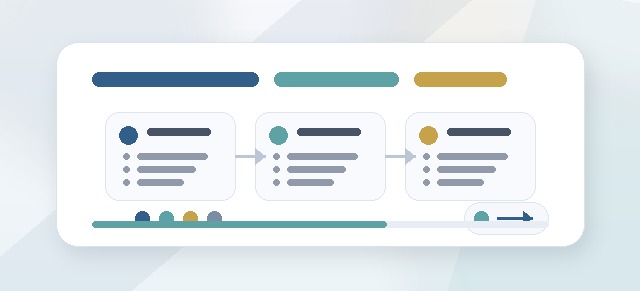
The typical setup flow is:
- Create a cohort Give the cohort a clear name, such as “Spring 2026 Leadership Compass” or “Executive Team Compass.”
- Choose the enabled pillars Some programs may use all five pillars. Others may begin with Pillar 1 and add more later.
- Add participants Participants are the people completing the pillar workflow and building their Leadership Compass Guide.
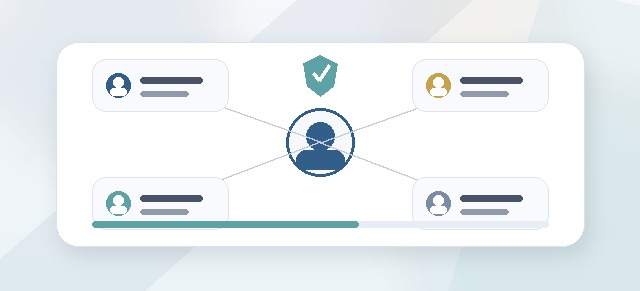
- Assign leaders Leaders may be responsible for a group of participants and may be able to view progress for those assigned participants.
- Assign facilitators Facilitators support participants through the process. They may review reflections, offer feedback, message participants, and help guide check-ins.
- Launch the cohort Once the cohort is ready, participants can begin the intake and pillar workflow.
Can Leadership Compass be enabled without launching a cohort?
Yes.
Enabling Leadership Compass only makes the module available. It does not automatically launch a cohort or notify participants.
Participants generally do not begin until a cohort has been created and launched.
Does enabling Leadership Compass cost anything?
Enabling Leadership Compass itself is free.
The free portion generally includes:
- access to the Leadership Compass module
- CliftonStrengths entry
- Pillar 1
- the initial Leadership Philosophy based on Pillar 1
Additional pillars after Pillar 1 may require paid access depending on your agreement and cohort setup.
Leaders and Facilitators are not charged as participants simply because they support a cohort.
What is a Champion?
A Champion is the person responsible for managing Leadership Compass inside the organization.
The Champion may:
- create cohorts
- add participants
- assign leaders
- assign facilitators
- monitor progress
- help participants understand next steps
- coordinate the overall program experience
In many organizations, the Champion is an HR leader, executive sponsor, internal coach, or learning and development owner.
What if we are working with an external facilitator?
External facilitators can be added to support a cohort.
Depending on your organization’s setup, external facilitators may be added as virtual users or assigned a facilitator role. Facilitators can support participants without being treated as paid participants in the cohort.
Facilitator access should be scoped carefully so facilitators only see the participants or cohorts they are assigned to.
What should I check before launching a cohort?
Before launching, confirm:
- the cohort name is clear
- the correct participants have been added
- the right leaders are assigned
- facilitators are assigned where needed
- the intended pillars are enabled
- the cohort status is ready for participants
- any paid pillar unlocks are understood
- participants know what to expect
Common questions
Can we enable Leadership Compass now and set it up later?
Yes. Enabling the module does not require you to launch a cohort immediately.
Can one organization have multiple cohorts?
Yes. Organizations may run multiple cohorts over time, such as quarterly programs, department cohorts, executive cohorts, or manager cohorts.
Can a user be in more than one organization?
Yes, if your app setup allows that. This can be useful for external facilitators or users who support more than one organization.
Can leaders also be participants?
Yes. A leader may support participants while also completing their own Leadership Compass, depending on the cohort setup.
Can facilitators be free users?
Yes. Facilitators are generally support roles, not paid participants. Your organization may use virtual users or facilitator-specific access depending on the setup.
Troubleshooting
I enabled Leadership Compass but do not see a cohort.
Enabling Leadership Compass does not automatically create a cohort. Create or launch a cohort after enabling the module.
Participants cannot see Leadership Compass.
Confirm that:
- the module is enabled
- the cohort exists
- the participant has been added to the cohort
- the cohort is active or launched
- the participant has the correct role
A leader or facilitator cannot see the expected participants.
They may not be assigned to those participants or that cohort. Check the leader/facilitator assignments.
I do not see the enable option.
You may not have permission to enable organization-level modules. Contact an Admin, Champion, or Performance Scoring support.