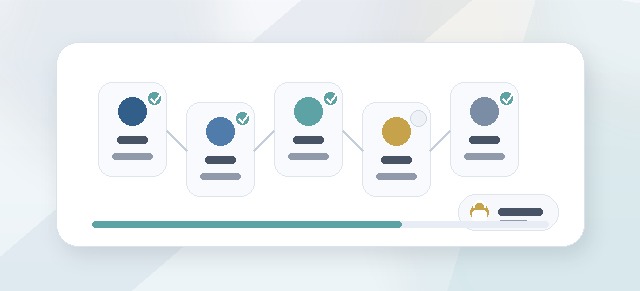
The Participant Dashboard is the main starting point for your Leadership Compass work.
It shows your progress, your next step, your available pillars, and the actions you need to take as you move toward your final Leadership Compass Guide.
What the Participant Dashboard is for
The dashboard helps you answer:
- Where am I in the process?
- What should I do next?
- Which pillars are available?
- How much progress have I made?
- Do I need to enter CliftonStrengths?
- Am I ready to generate my guide?
- Do I need help from a facilitator?
Instead of guessing where to go, use the dashboard as your home base.
Overall progress
Your dashboard may show an overall progress percentage.
This progress is based on the pillars enabled for your cohort.
For example:
- if your cohort uses only Pillar 1, completing Pillar 1 may complete the active program phase
- if your cohort uses Pillars 1–3, progress is based on those three pillars
- if your cohort uses all five pillars, progress is based on all five
Disabled pillars should not count against your completion percentage.
Your next step
The dashboard should guide you toward your next action.
Your next step may be:
- enter CliftonStrengths
- begin Pillar 1
- continue a pillar you already started
- review reflection cards
- accept reflection cards
- move to the next enabled pillar
- generate your Leadership Compass Guide
- continue into post-program reflection
If you are unsure what to do, start with the dashboard’s next-step button or prompt.
CliftonStrengths entry
Leadership Compass may allow you to enter your CliftonStrengths results.
Your strengths can help shape the reflection process and make your guide more personal.
You may be asked to enter your top strengths before beginning or while completing Pillar 1.
What if I do not have CliftonStrengths?
If you do not have CliftonStrengths results, your organization may allow you to skip this step.
Skipping CliftonStrengths does not necessarily prevent you from continuing Leadership Compass.
If your dashboard gives you a skip option, use it only if you do not have your results available or your Champion has instructed you to continue without them.
Available pillars
Your dashboard may show the pillars included in your cohort.
The five possible pillars are:
- Know Your Core
- Set Your Standard
- Live Your Promise
- Lead Your Team
- Refine Your Compass
Your cohort may include all five pillars or only selected pillars.
Pillar status
Each pillar may have a status such as:
- not started
- in progress
- ready for review
- completed
Use these statuses to understand where you are and what still needs attention.
Starting a pillar
When you start a pillar, you will answer a series of guided reflection questions.
Your answers help Leadership Compass create reflection cards that you can review, edit, and accept.
Take your time. The goal is not just to finish quickly. The goal is to build a Compass that sounds like you and reflects how you want to lead.
Continuing a pillar
If you leave a pillar before finishing it, you may be able to return later and continue where you left off.
Use the dashboard to find your next available action.
If the dashboard shows a pillar as in progress, open that pillar and continue the remaining steps.
Reflection cards
After you complete a pillar, Leadership Compass may generate reflection cards based on your answers.
Reflection cards help turn your raw responses into clearer leadership language.
You may be able to:
- review each card
- edit the wording
- accept the card
- revisit the related question
- receive facilitator feedback, if assigned
Accepted reflection cards become building blocks for your Leadership Compass Guide.
When am I done with a pillar?
A pillar is generally complete when:
- all required questions are answered
- the pillar workflow reaches completion
- reflection cards are generated
- reflection cards are reviewed and accepted, if required
If a pillar still appears incomplete, check whether there are unanswered questions or unaccepted reflection cards.
When am I done with Leadership Compass?
You are generally done with the active program phase when all enabled pillars for your cohort are complete and required reflection cards have been accepted.
After that, your dashboard may guide you to generate your Leadership Compass Guide.
Building your guide
Once you complete the selected pillars, you may be able to generate your Leadership Compass Guide.
The guide is built from your accepted reflections.
Depending on your completed pillars, your guide may include:
- your core leadership identity
- your values
- your strengths
- your leadership philosophy
- your standards
- your commitments
- your team leadership practices
- your development roadmap
Messaging a facilitator
If your cohort has a facilitator assigned, you may be able to message them from your dashboard or completion experience.
Use facilitator messaging when:
- you are stuck
- you are unsure how to answer a question
- you want help interpreting reflection cards
- you need guidance before accepting cards
- you want to request a check-in
Requesting a check-in
Some cohorts may allow you to request a check-in with your facilitator.
A check-in can help you talk through your reflections, clarify your leadership commitments, or prepare to use your guide.
Common questions
Why is my progress not 100%?
You may still have an enabled pillar to complete, unanswered questions, or reflection cards that need review.
Why do I not see all five pillars?
Your cohort may not include all five pillars. You only need to complete the pillars enabled for your cohort.
Can I skip CliftonStrengths?
Possibly. If your dashboard gives you a skip option, you can continue without entering strengths.
Can I edit my answers?
This depends on the workflow stage. In many cases, you can edit reflection cards before accepting them.
Why can’t I generate my guide yet?
You may need to complete all enabled pillars and accept required reflection cards first.
Who can see my dashboard?
Your dashboard is primarily for you. Leaders or facilitators may see progress information depending on their role and assignment, but private reflection visibility should be scoped carefully.
Troubleshooting
I do not see Leadership Compass.
You may not have been added to a cohort, the cohort may not be active, or Leadership Compass may not be enabled for your organization.
My next step looks wrong.
Refresh the page and review your pillar status. If it still looks wrong, contact your Champion or Facilitator.
I completed a pillar but progress did not update.
Check whether reflection cards still need to be reviewed or accepted.
I entered CliftonStrengths but they are not showing.
Confirm that your entries were saved. If needed, return to the CliftonStrengths step and save again.
I cannot open the next pillar.
The pillar may not be enabled, may require completion of a previous step, or may need to be unlocked for your cohort.
Best practices
- Use the dashboard as your home base.
- Follow the next-step prompt.
- Enter CliftonStrengths if you have them.
- Take time with reflection questions.
- Review and edit reflection cards before accepting them.
- Ask a facilitator for help if you are stuck.
- Complete all enabled pillars before trying to generate your guide.
The Participant Dashboard keeps your Leadership Compass work organized and helps you move from first reflection to final guide.