Leadership Compass is built around guided reflection.
As you complete each enabled pillar, you answer questions that help clarify who you are, how you lead, what you value, and what you want to practice. After a pillar is completed, Leadership Compass may generate reflection cards from your answers.
Reflection cards help turn your responses into clear language you can review, edit, accept, and eventually use in your Leadership Compass Guide.
What is a pillar?
A pillar is one section of the Leadership Compass process.
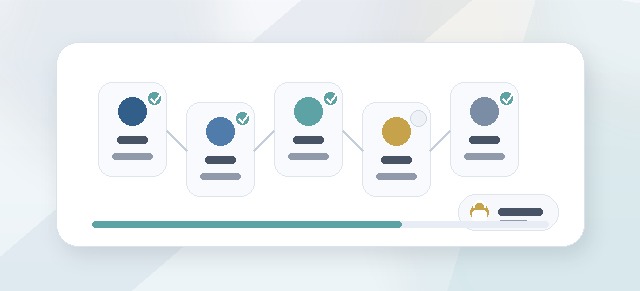
Each pillar focuses on a different part of leadership growth:
- Know Your Core
- Set Your Standard
- Live Your Promise
- Lead Your Team
- Refine Your Compass
Your cohort may include all five pillars or only selected pillars.
You only need to complete the pillars enabled for your cohort.
How pillar completion works
Each pillar includes guided questions.
You may be asked to reflect on things like:
- your values
- your strengths
- your leadership story
- your standards
- your commitments
- your team behaviors
- your leadership habits
- your growth goals
Your answers help shape the reflection cards and final guide content.
Do I need to complete pillars in order?
Usually, yes.
The pillars are designed to build on each other.
A typical sequence is:
- understand who you are
- define the standard you want to set
- practice your commitments
- lead your team with clarity
- refine your Compass over time
Completing the pillars in order gives your final guide a stronger foundation.
Saving your progress
As you work through a pillar, your progress may be saved along the way.
If you need to stop before finishing, return to your Participant Dashboard and continue the pillar from there.
Before leaving a page, make sure your latest answers were saved.
What happens after I finish a pillar?
After you complete the required questions in a pillar, Leadership Compass may generate reflection cards.
Reflection cards summarize and organize your answers into clearer leadership language.
These cards are not meant to replace your voice. They are a starting point for review and refinement.
What are reflection cards?
Reflection cards are short pieces of leadership content created from your pillar responses.
They may capture themes such as:
- what matters to you
- how you lead at your best
- what standard you want to model
- what commitments you want to practice
- how you want to communicate
- what you want your team to experience
- where you want to grow next
Reflection cards become building blocks for your Leadership Compass Guide.
Why reflection cards matter
Reflection cards help you move from raw answers to usable leadership language.
They can help you:
- see patterns in your answers
- name what matters most
- clarify your leadership philosophy
- prepare for facilitator feedback
- build your final guide
- make your Compass easier to share and use
Reviewing reflection cards
When reflection cards are available, read each card carefully.
As you review, ask:
- Does this sound like me?
- Is this accurate?
- Is anything missing?
- Is the wording too vague?
- Is the wording too strong?
- Would I actually want this in my guide?
- Does this help me lead more intentionally?
The goal is not to accept everything automatically. The goal is to make the cards useful and true.
Editing reflection cards
You may be able to edit reflection cards before accepting them.
Edit a card when:
- the wording does not sound like you
- the card misses an important idea
- the tone feels wrong
- the statement is too broad
- the statement is too generic
- you want to make the language more specific
- you want the card to be more practical
Your edits help make the final guide more personal.
Accepting reflection cards
Accepting a reflection card usually means you are ready to use that content in your Leadership Compass Guide.
Before accepting a card, confirm that:
- it is accurate
- it sounds like you
- it reflects your intent
- it is clear enough to use later
- you are comfortable including it in your guide
Accepted cards may become part of your guide content.
Can I reject or skip a reflection card?
This depends on your organization’s setup.
Some workflows may allow you to edit a card until it works. Others may allow you to skip, reject, or leave a card unaccepted.
If you are unsure what to do with a card, ask your Facilitator or Champion.
What if the reflection card is wrong?
If a reflection card does not feel right, do not accept it immediately.
Try one of these steps:
- edit the wording
- return to the related answer if available
- make the statement more specific
- remove language that does not fit
- ask a Facilitator for feedback
- save and come back later
The final Compass should reflect your leadership, not just generated language.
Facilitator feedback
If your cohort has a Facilitator, they may be able to review your reflection cards and provide feedback.
Facilitator feedback may include:
- encouragement
- clarifying questions
- coaching prompts
- suggested edits
- notes about strong themes
- areas to discuss in a check-in
The Facilitator’s role is to support your thinking, not take over your voice.
Visible feedback and private notes
Facilitators may have different types of notes.
Visible feedback is meant for you to read.
Private facilitator notes may be used by the Facilitator for preparation, coaching context, or follow-up.
If you have questions about what is visible, ask your Facilitator or Champion.
What does “completed” mean?
A pillar may be considered complete when:
- required questions are answered
- the pillar workflow reaches the final step
- reflection cards are generated
- required reflection cards are reviewed and accepted
If your dashboard still shows a pillar as incomplete, check whether reflection cards still need attention.
How pillar completion affects your dashboard
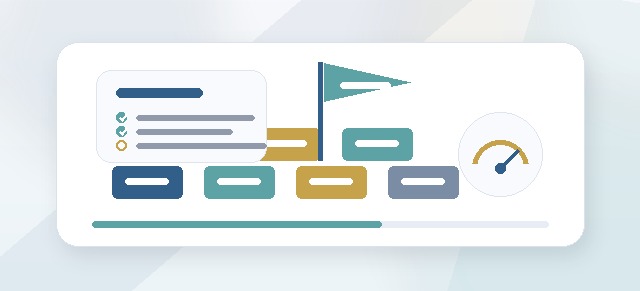
Your Participant Dashboard uses pillar progress to show where you are in the Leadership Compass process.
When you complete a pillar, your dashboard may update to show:
- a higher overall progress percentage
- the next enabled pillar
- a review-card step
- a guide-generation step
- completion of the active program phase
If the dashboard does not update immediately, refresh the page and check whether all required cards were accepted.
How pillar completion affects your guide
Your final Leadership Compass Guide is built from accepted reflections.
The more carefully you review and refine your cards, the more useful your guide will be.
A strong guide is not just complete. It should be clear, personal, and practical.
What if I need to change something later?
This depends on your workflow stage.
You may be able to edit reflection cards before accepting them. After cards are accepted or guide content is generated, editing may be more limited.
If you need to make a change after accepting a card, ask your Facilitator or Champion what options are available.
Tips for better pillar responses
When answering pillar questions:
- be honest
- use specific examples
- avoid trying to sound perfect
- write in your own voice
- focus on real leadership moments
- name both strengths and growth areas
- think about what others experience from you
- write enough detail for the reflection cards to be useful
Better answers usually create better reflection cards.
Tips for reviewing reflection cards
When reviewing cards:
- read slowly
- edit for accuracy
- remove generic language
- make statements practical
- keep what feels true
- question what feels off
- ask for help when needed
- accept only what you are comfortable using
Common questions
Why did reflection cards appear after I completed a pillar?
Reflection cards are generated from your pillar responses. They help turn your answers into guide-ready leadership language.
Do I have to accept every card?
This depends on the workflow setup. In general, you should only accept cards that are accurate and useful.
Can I edit a card before accepting it?
Often, yes. Edit the card so it sounds like you and reflects what you mean.
What happens when I accept a card?
Accepted cards may be used to build your Leadership Compass Guide.
Can my Facilitator see my reflection cards?
If assigned and configured, a Facilitator may be able to review your cards and provide feedback.
Can my Leader see my reflection cards?
Leader visibility should usually focus on progress, not private reflection content, unless your organization has configured access differently or you choose to share content.
Why is my pillar still incomplete?
You may still need to answer a required question, finish the final step, or accept reflection cards.
Troubleshooting
My answers did not save.
Return to the pillar, confirm required fields are complete, and save again. If the issue continues, contact your Facilitator or Champion.
Reflection cards did not generate.
Confirm that the pillar is fully complete. If cards still do not appear, contact your Facilitator, Champion, or support contact.
I accepted cards but my dashboard did not update.
Refresh the dashboard and confirm all required cards for the pillar were accepted.
A card does not sound like me.
Edit it before accepting. If needed, ask your Facilitator for help.
I cannot access the next pillar.
The previous pillar may still be incomplete, the next pillar may not be enabled, or the pillar may require an unlock.
Best practices
- Complete pillars in order.
- Take your time with answers.
- Save your progress before leaving.
- Review reflection cards carefully.
- Edit cards so they sound like you.
- Accept only cards that feel accurate and useful.
- Ask your Facilitator for help if you are stuck.
- Use accepted cards as building blocks for your final guide.
Completing pillars and reviewing reflection cards is the core of Leadership Compass. This is where your answers become practical language you can use to lead with more clarity and intention.