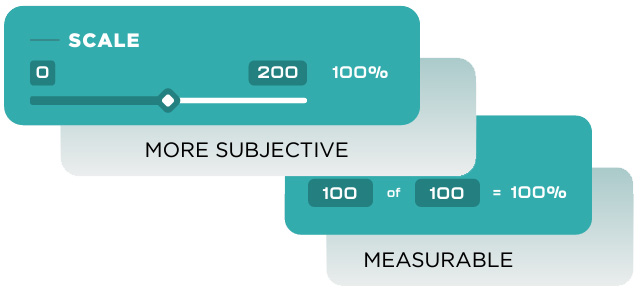
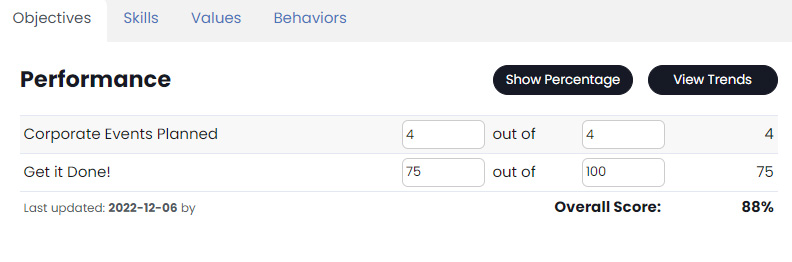
Metrics are goals set within the application for individuals, teams, or Seats. To update an Metrics, first login to your organizations GoExpand application. Once logged in, “Metrics” will be displayed on the Dashboard. To update an employee’s Metrics simply type in the amount of their Metrics that has been met and select “Update“.
To manage Metrics look to the menu and select “Administration” a dropdown menu will appear select “Manage Metrics” and you will be brought to the Manage Metrics page where you can edit or set new Metrics.
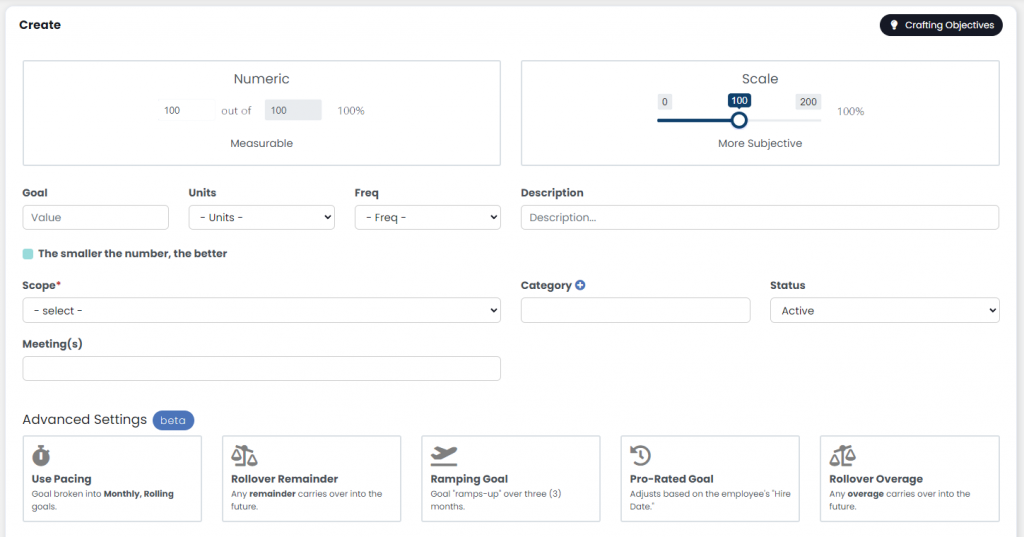
There are three “scopes” of Metrics:
- Individual Metrics are tied to a specific user.
- Seat Metrics are inherited by each user who are in that Seat. These Metrics do NOT sum.
- Team Metrics are shared by each user on the specified team. These Metrics sum.
Not sure what Metrics you need to create to measure the performance of your team? Download our, “Guide to Creating Performance Metrics.”
There’s a LOT to Metrics
There are a lot of options for creating Metrics. For power users, we might suggest these support articles.
As far as updating the Metric data for your organization, we have two handy ways to accomplish this.