Shout-Outs recognize specific achievements and helpful actions in GoExpand. The name may appear as High-Fives or another term chosen by your organization. Recognition uses your configured positive feedback types; those types retain their existing scoring rules.
Give feedback or recognition
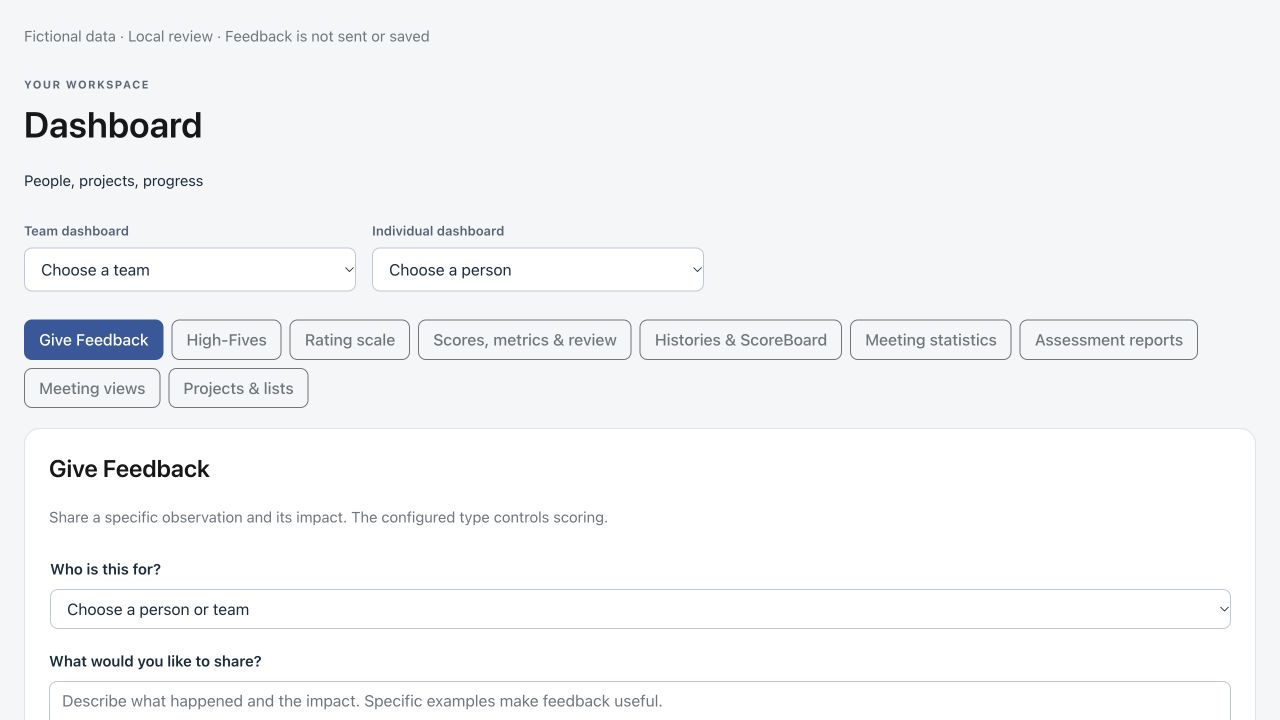
Open Give Feedback on your dashboard, the feedback page, or the Shout-Outs section of a meeting. The same approach works across these locations.
- Choose the person or team. Confirm the recipient before writing.
- Describe what happened. In “What would you like to share?”, state the observed behavior and its impact. For recognition, explain what helped. For constructive feedback, explain the expected next step.
- Check the feedback type. Select a configured type that fits your observation. A unique matching phrase may suggest an existing type; you can change it before sending.
- Add supporting detail if useful. Use Add context for background and Attach file for an optional file or photo. These controls stay compact until you need them.
- Review and send. Confirm the recipient, observation and type, then select the send button. Cancel clears the form without sending.
Understand tone suggestions
The composer may suggest that your wording sounds positive or constructive. This is a local wording suggestion, not an AI assessment of the person. Mixed or unclear wording still requires your judgment. It does not create a feedback category or invent a score: your organization’s configured type determines scoring. Manually chosen types remain under your control.
The entry date and configured numeric value are handled by the existing workflow, so you can focus on the observation. Recognition uses positive types; general feedback may include appreciation or a constructive next step.
Find the underlying records
On your dashboard, select the recognition count or its configured name to open the Feedback Board records. Access settings determine which records you can see. Meeting recognition sections continue to show recent recognition and their existing Like controls.
Make feedback useful
- Be specific: describe an action rather than labeling someone’s personality.
- Explain impact: say how the action helped a customer, colleague, project or team.
- For constructive feedback, identify a practical next step and invite a conversation.
- Share only supporting details and attachments appropriate for the intended audience.
Related guides: feedback, Dashboard scores and performance widgets, and Meeting workflows.