Topics are used to capture ideas, issues, questions, and conversations that need visibility and follow-up. While they are often discussed and worked through during meetings, Topics are not limited to a single meeting, or any meeting at all.
The My Topics view provides a centralized place to see Topics associated with you, regardless of where (or if) they appear in meetings.
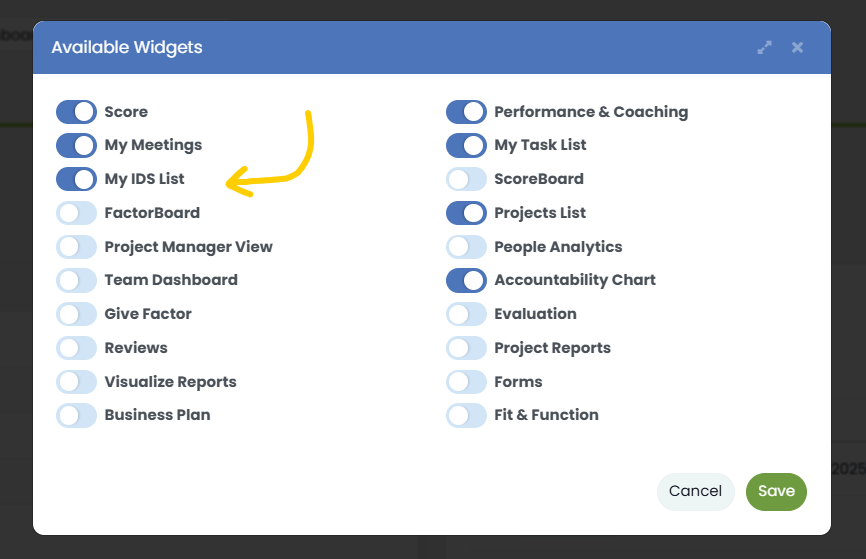
NOTE: This Dashboard widget is “off” by default. To add it to your dashboard, click “Customize” at the top of the dashboard and turn on My Topics in the modal.
For a full explanation of how Topics work—including commenting, transcription, summarization, action items, and archiving, see this deep-dive post.
What This View Shows
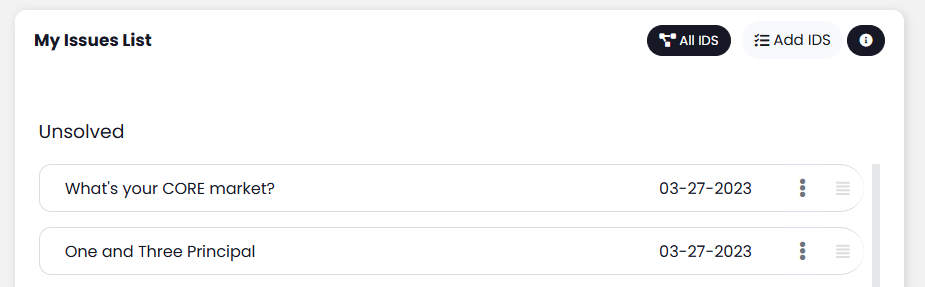
The My Topics Dashboard widget displays:
- Topics created by you
- Topics that may be:
- Assigned to one or more meetings
- Not currently assigned to any meeting
- Active (non-archived) Topics only
This widget is designed to provide at-a-glance visibility into the Topics you’ve raised across the system, without requiring you to navigate into individual meetings.
How This Differs from Topics in a Meeting
Topics viewed inside a meeting are filtered to that specific meeting’s agenda. In contrast, the My Topics view:
- Is not tied to a single meeting
- Shows Topics across all meetings
- Includes Topics that exist independently of meetings
- Focuses specifically on Topics associated with the logged-in user
This makes it easier to track discussions that span multiple meetings or have not yet been scheduled for discussion.
Viewing All Topics Associated With You
In addition to the Dashboard widget, a dedicated view is available that shows all Topics associated with you, including:
- Active Topics
- Archived Topics
- Topics across all meetings
This view is useful for reviewing discussion history, managing long-running topics, and referencing previously archived conversations.