Meetings and Rocks have an activity log which maintains a history of everything that’s happened with them. Action Items, the building blocks of Rocks and Meetings, also keep a detailed timeline of their history.
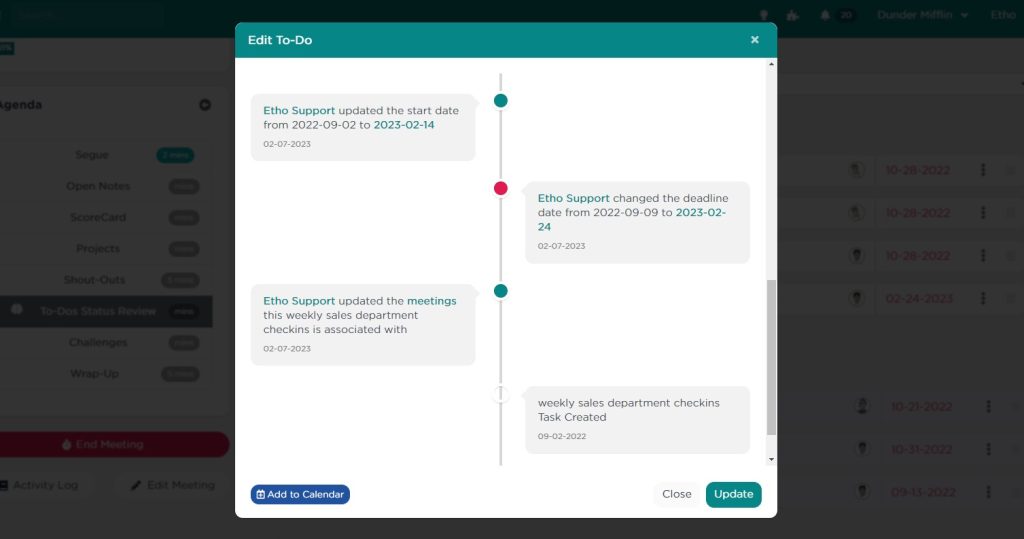
To view the history of any Action Item or QA topic, navigate to the Action Item or QA Topic Details and click on the link labeled “Action Item or QA History” found below the main content area. This will display the Action Item‘s or QA topic’s timeline in reverse chronological order, offering you a clear view of each action taken.
What Does the History Include?

The timeline includes a plethora of valuable information, such as:
- Creation and Modification: See when the Action Item or topic was initially created, by whom, and any changes made to start and deadline dates, including who made these changes.
- Status Updates: Track status changes throughout the lifecycle of the Action Item or topic. For Action Items, this could be updates like “in progress,” “complete,” etc. For QA topics, statuses like “created,” “discussed,” “solved,” etc., are noted.
- Behavior Shifts: Monitor updates to the Action Item owner, approver, and assigner to keep up with who is responsible at any given stage.
- Completion and Approvals: Find out who marked the Action Item or topic as complete, rejected, accepted, archived, or deleted.
This feature not only ensures transparency and accountability but also enhances the ability to manage Rocks and meetings effectively. By keeping an accurate and easily accessible log of all activities, teams can stay aligned, track progress meticulously, and identify areas needing attention swiftly.
It’s all there, in a nifty timeline.
What about the details?
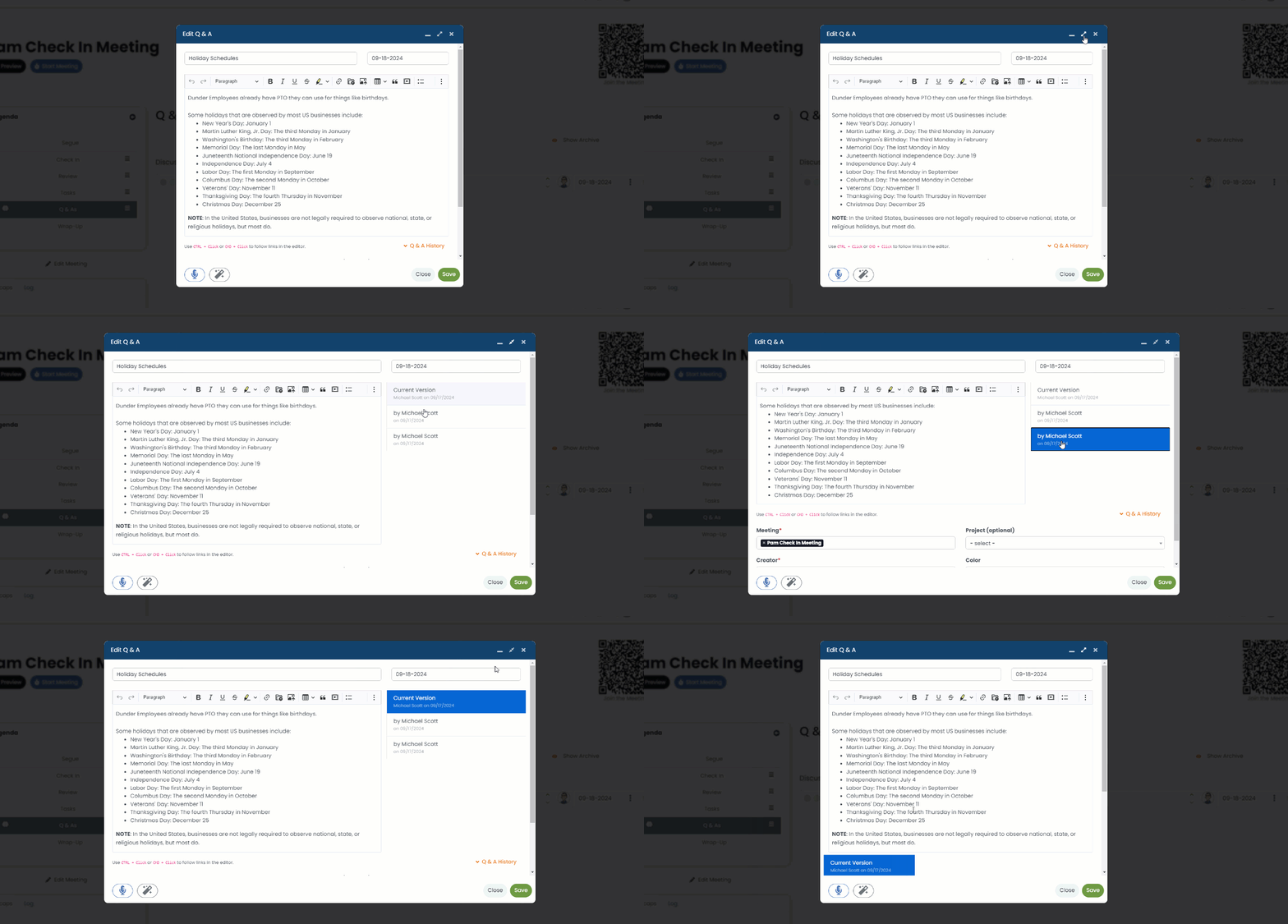
As of v6.7 of Pinnacle, you can click the “expand” button at the top-right to widen the modal and view the revision history for the details inside the Action Item or Topic.