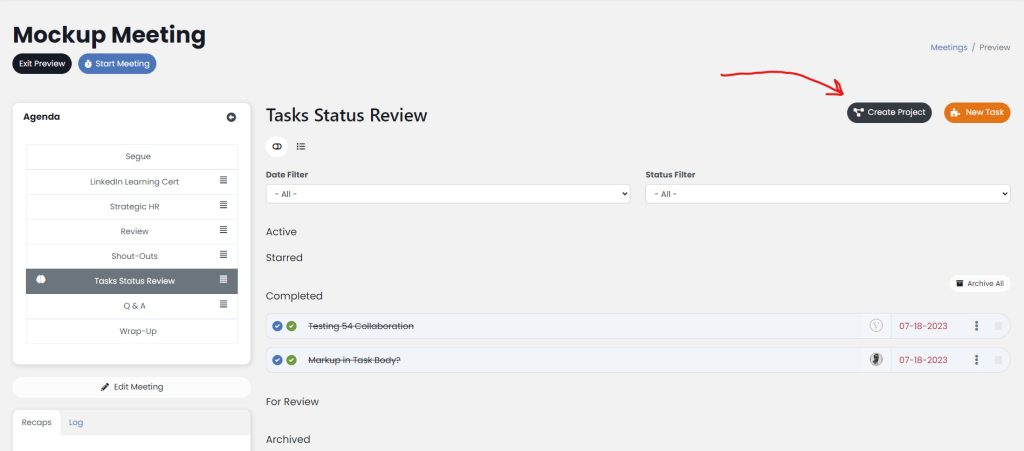
As of v6.3, you can create a Rock from inside a meeting as well as from the Rocks screen. Rocks are a way of grouping a series of To-Dos that are all interrelated. If you’re creating a new Rock as a group from inside a meeting, go to the To-Do status review page and click on Create Rock.
That will open a modal window. Within that modal, you’ll be able to configure the basic Rock settings. More information on those Rock settings here.
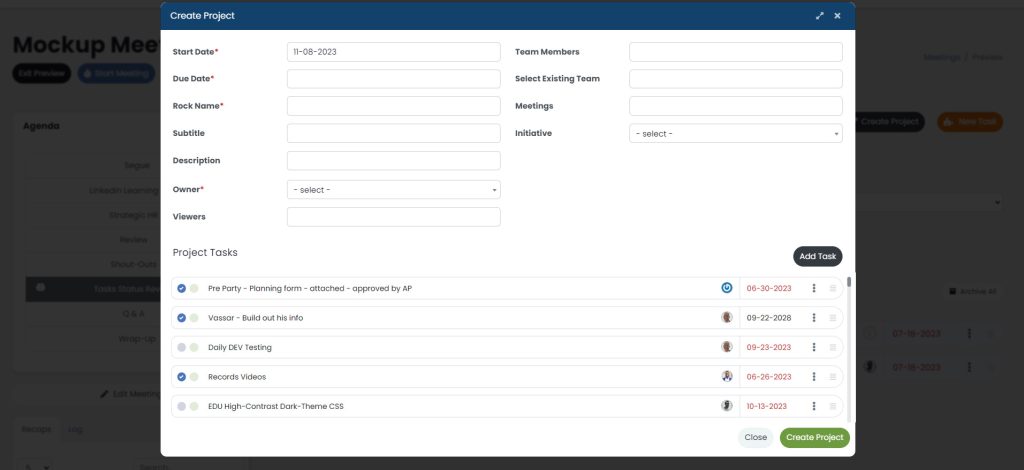
Below the general Rock settings, you’re able to create the To-Dos that should be associated with the new Rock.
Click Create Rock to create the new project while your meeting continues to run in the background. The new Rock is automatically associated with the meeting you are currently in. You can, of course, remove it from your meeting agenda later in Meeting Settings.