For Scores, Trends, performance metrics and individual dashboard conversation preparation, see Using Dashboard Scores, Trends and Performance Widgets. Assessment framework explanations are in Understanding Assessment Results and Creating a Conversation Guide. The customization steps below remain available.
Want to personalize your GoExpand main dashboard with only the items from the Navigation Panel you care about in the order you care about them? Well, it’s easier than ever with GoExpand‘s Customize Dashboard feature. Here’s how to use it:
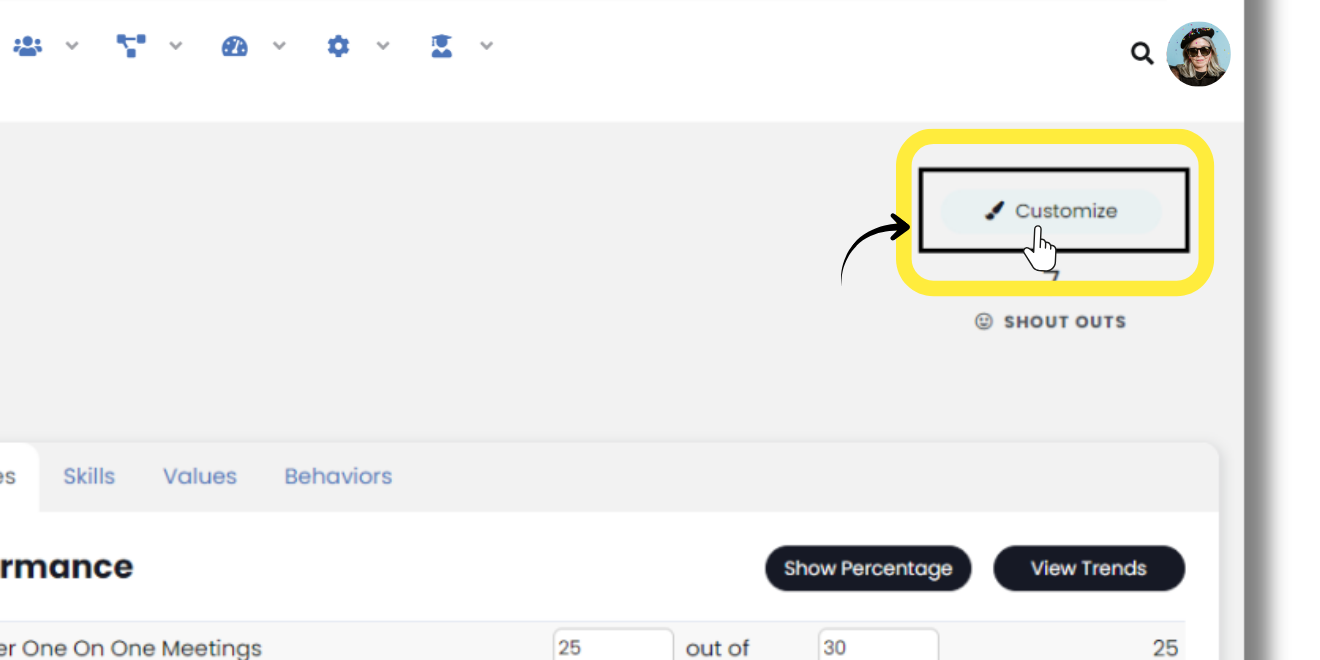
From the main dashboard, hover over the paint brush near the top-right then click “Customize” to open a modal with all the dashboard widgets available to you, based on your Seat permissions given to you by your company.
Toggle the widgets you want and which you don’t want on your dashboard and click “Save”.
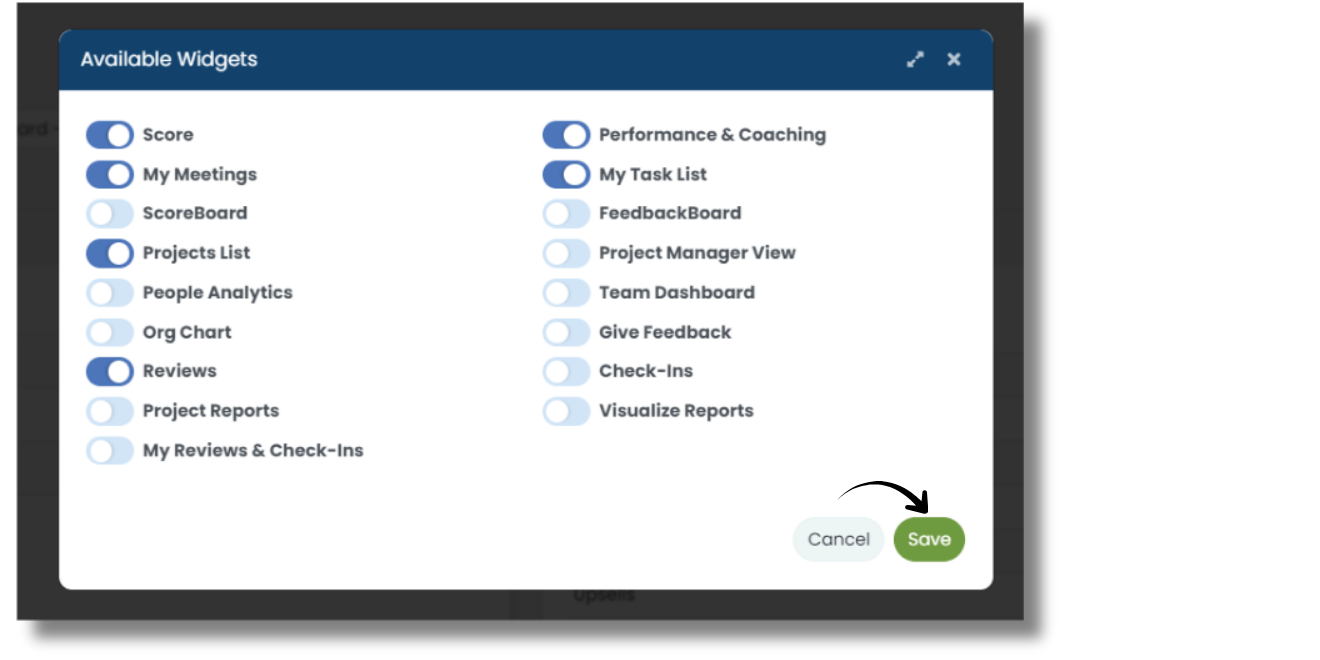
After the dashboard reloads, you can drag & drop the widgets into whatever order you’d like.
Next time you login to GoExpand, the dashboard will look just the way you want!
Now, it’s not “the GoExpand dashboard.” It’s YOUR dashboard.
Next up: Adding Seats