NAICS stands for North American Industry Classification System. It’s a standard system used by government agencies and businesses to classify companies into specific industry categories based on their primary business activities.
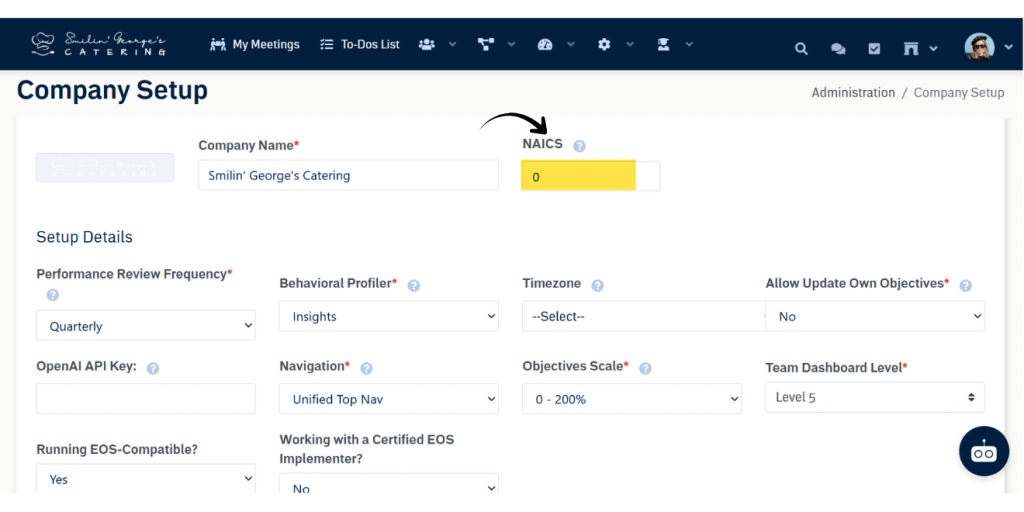
Within Upstream+, we use NAICS codes to better understand your organization’s industry. This allows our Support team to:
- Provide more tailored recommendations and best practices when helping set up your organization’s account.
- Understand your business context, enabling more effective assistance and quicker issue resolution.
NOTE: This is an optional field in Company Settings.
How to Find Your NAICS Code
If you’re unsure what your organization’s NAICS code is, you can:
- Ask your accountant, as NAICS codes are commonly used in tax filings.
- Visit the official NAICS lookup website to search by keyword describing your business.
Adding or Updating Your NAICS Code
To add or update your NAICS code in Upstream+:
- Administration >> Company Settings.
- Locate the NAICS Code field.
- Enter your six-digit NAICS code.
- Click Save Changes at the very bottom of the page
If you need help finding or updating your NAICS code, please contact your Support team.