AI Assistant Knowledge Base Documents
Knowledge Base Documents provide the AI Assistant with organization-specific information that can be used when responding to users.
Documents uploaded to the Knowledge Base help the assistant understand your organization’s processes, terminology, policies, procedures, and other reference materials.
Uploading Documents
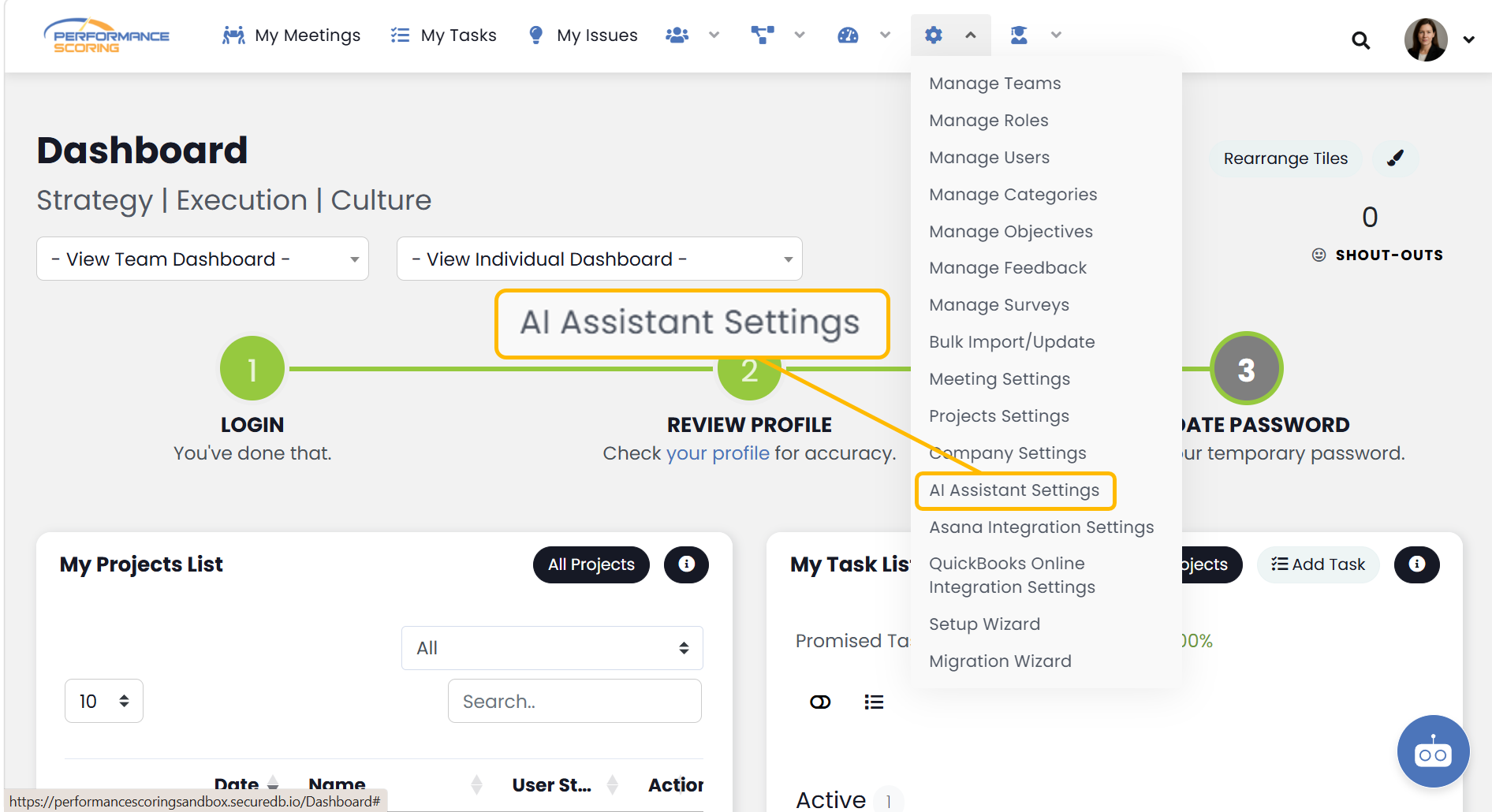
To add a Knowledge Base document:
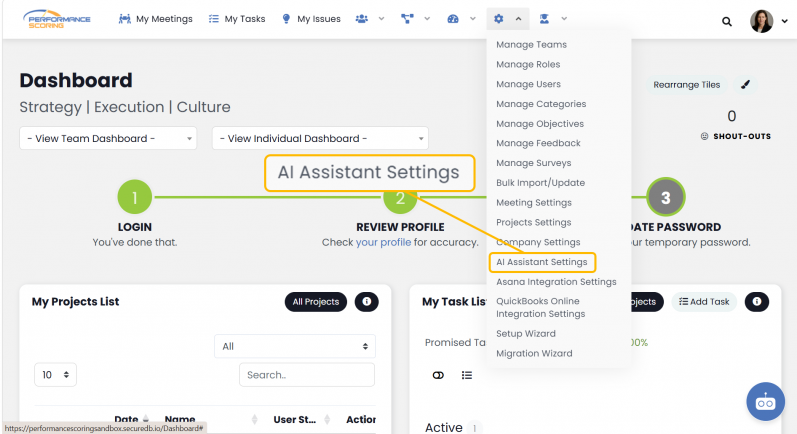
- Navigate to AI Assistant Settings.
- Locate the Knowledge Base Documents section.
- Select Upload Document.
- Choose the file you want to add.
- Save your changes if prompted.
Once uploaded, the document becomes available to the AI Assistant.
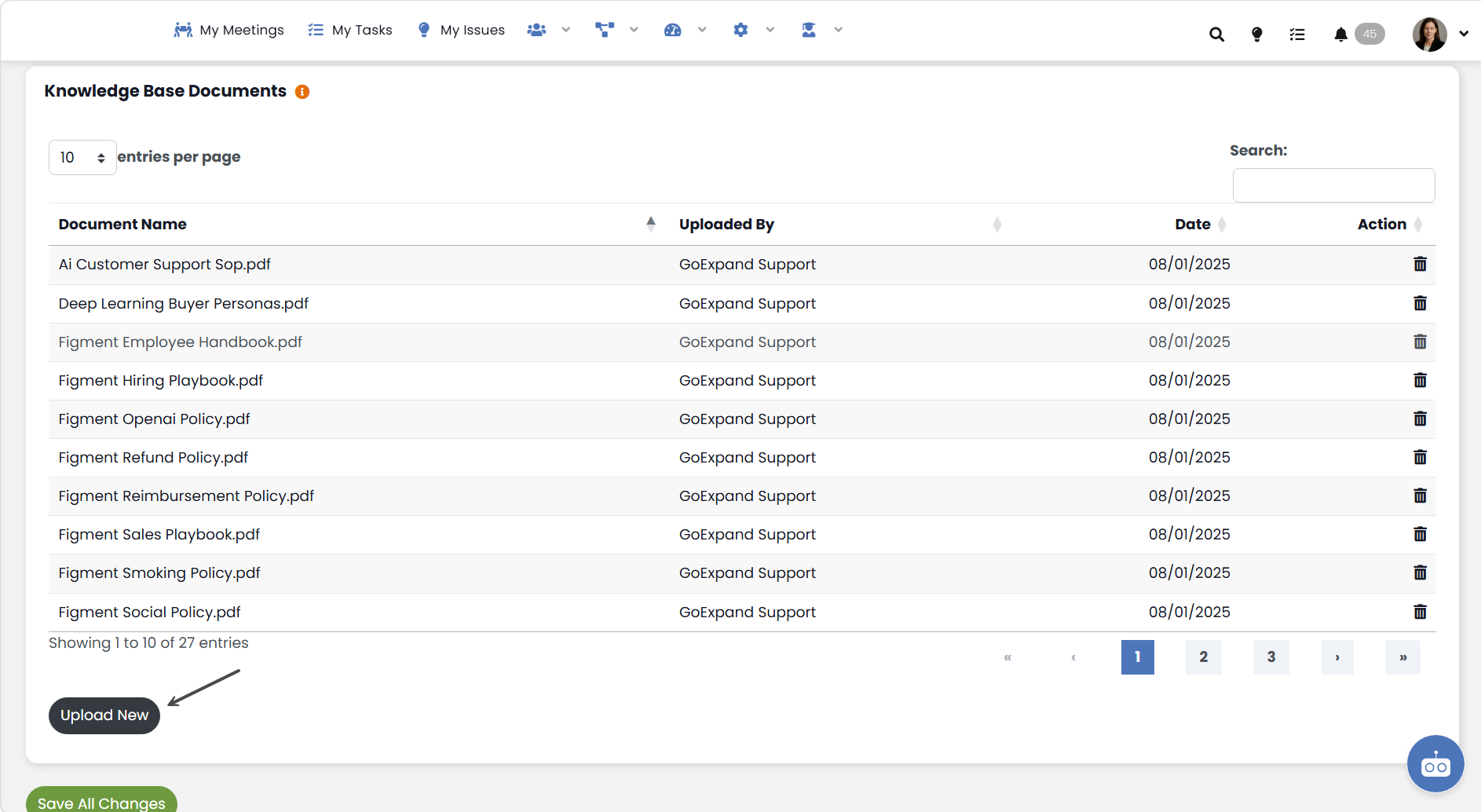
Managing Documents
The Knowledge Base Documents section displays all documents currently available to the AI Assistant.
From this area, you can:
- View uploaded documents
- Remove documents that are no longer needed
- Manage organization-specific reference materials
Deleting a document removes it from the AI Assistant’s available knowledge sources.
Using Documents
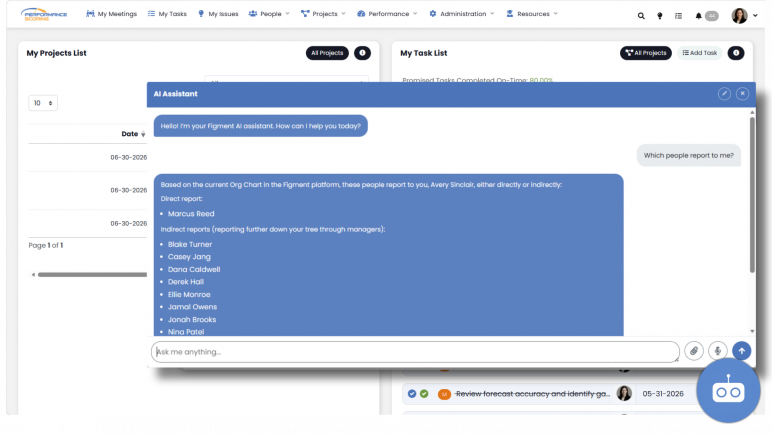
When users interact with the AI Assistant, uploaded documents may be used to help generate responses.
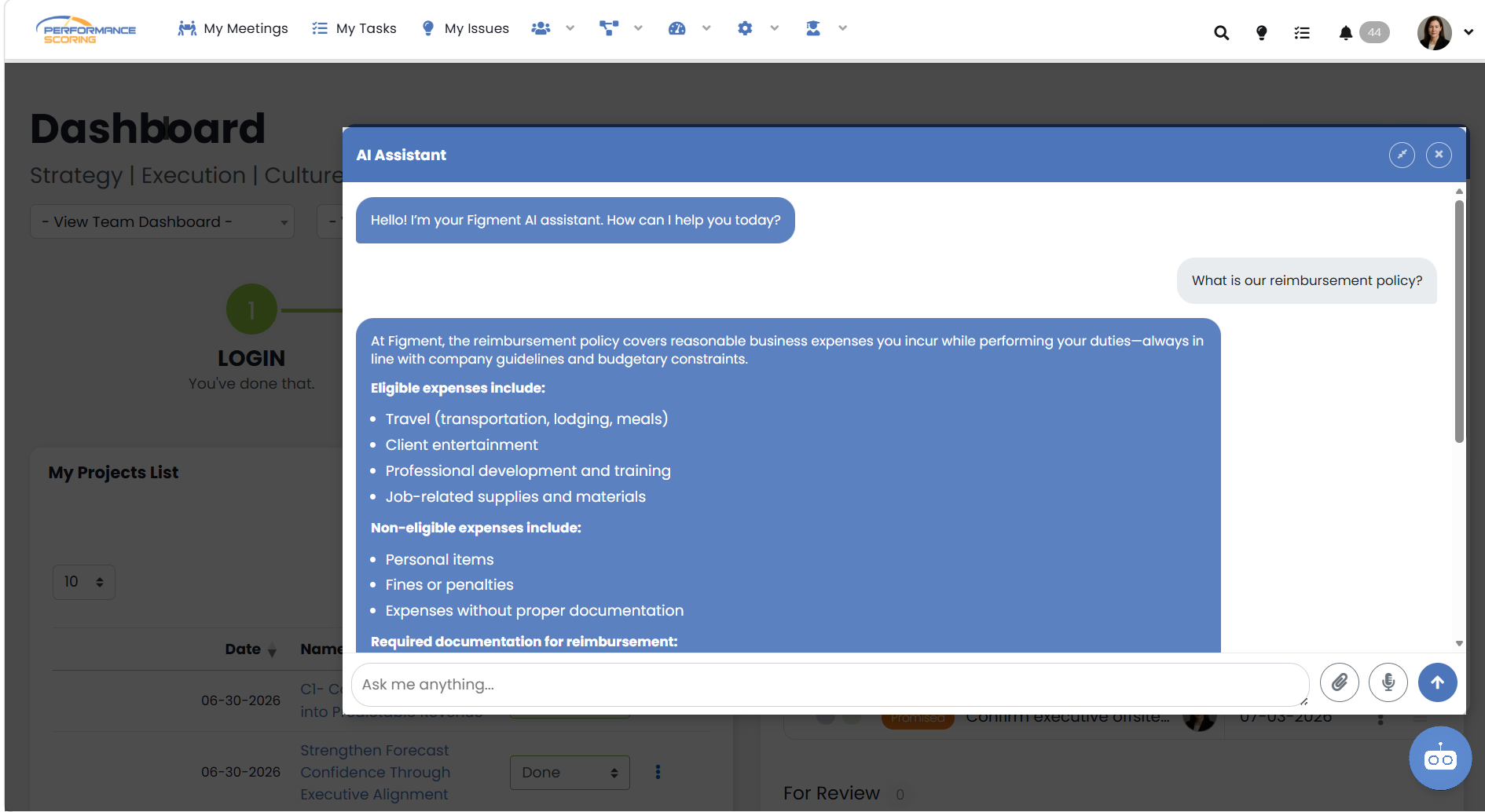
Knowledge Base Documents are most effective when they contain:
- Policies and procedures
- Internal terminology
- Training materials
- Frequently asked questions
- Organization standards
- Process documentation
Documents should be kept current to ensure the assistant has access to accurate information.
Things to Know
- Knowledge Base Documents help provide organization-specific context to the AI Assistant.
- Uploaded documents may be referenced when generating responses.
- Deleting a document removes it from the assistant’s available knowledge sources.
- Documents should be reviewed periodically to ensure information remains accurate.
- Access to upload or remove documents may be restricted based on user permissions.